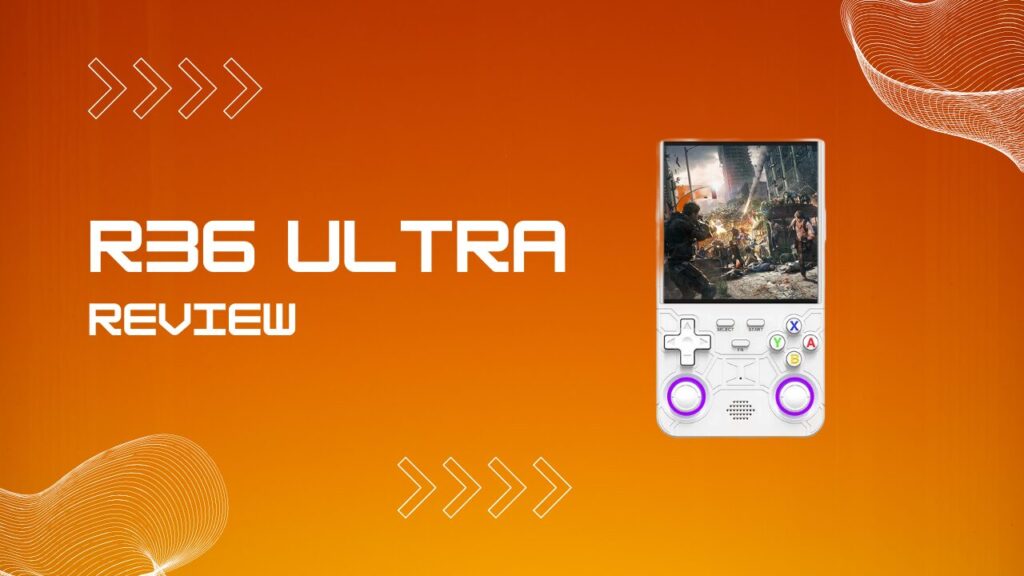
This R36 Ultra review starts with a fair question: does this cheap handheld actually deliver, or is it just another clone with a louder name and the same old compromises? I picked one up to find out, and the answer is better than the listings suggest, but only if you understand where the friction lives before you load it with saves and call it done.
This guide covers the hardware, the real emulation ceiling, the game list, the software quirks, and the decision between this model and the R36 Max. If you want the short version, the R36 Ultra is one of the better sub $50 retro handhelds in its lane, but it gets a lot better once you treat the bundled setup like a rough draft instead of a finished product.
Key Takeaways
- The R36 Ultra is a budget retro handheld built around the RK3326 chip and 1GB of DDR3L RAM.
- Its 4 inch IPS display uses a 720×720 square panel, which suits Game Boy, GBA, and DS better than many cheap handheld screens.
- Built in Wi-Fi is one of its biggest real upgrades, because it enables RetroAchievements, easier updates, and netplay support.
- PS1, GBA, SNES, NES, CPS1, and CPS2 are the sweet spot. N64, PSP, and Dreamcast are playable on a game by game basis, not as blanket promises.
- The stock microSD setup is the part I trust the least, so replacing or cloning it early is one of the smartest upgrades you can make.
- Battery life is solid for the price, usually landing in the 4 to 6 hour range depending on system load and brightness.
- The R36 Ultra is usually worth spending a few extra dollars on over the R36 Max if Wi-Fi features matter to you at all.
What Is The R36 Ultra?
The R36 Ultra is a vertical retro gaming handheld that sits near the top of the R36 family in terms of features. It builds on the same general formula as the R36S, but adds a larger screen, built in Wi-Fi, Bluetooth, RGB analog sticks, and a more refined shell. The result is still a budget device, just a noticeably less rough one.
The broader R36 lineup lives in clone territory, and that matters more than most first-time buyers realize. These devices are sold through multiple storefronts, bundles vary, included cards vary, and even the out-of-box software experience can shift depending on the seller. In my experience, the smartest way to approach any R36 device is to judge the hardware separately from the bundled card, because the shell and chipset are usually the stable part, while the software image and storage are where the little headaches begin.
Is The R36 Ultra A Real Product?
Yes, the R36 Ultra is a real product, not just a renamed listing trick. The confusion comes from the fact that the R36 naming tree is a mess, with the R36S, R36 Max, R36 Pro, R36 Plus, and other similar names all crowding search results and storefronts.
The Ultra is distinct enough to separate from the pack. It typically comes with the 4 inch 720×720 screen, built in Wi-Fi, Bluetooth, and RGB analog sticks, which gives it a more modern feature set than the cheaper siblings. If you see one in the mid $30 to low $40 range, that lines up with what this class of hardware usually sells for.
R36 Ultra Specs At A Glance
The spec sheet tells you the ceiling, but it does not tell you how much setup friction you may need to remove before the device feels polished. Here are the core specs first:
| Component | Specification |
|---|---|
| Processor | Rockchip RK3326, 4x ARM Cortex-A35 |
| RAM | 1 GB DDR3L |
| Display | 4 inch IPS, 720×720, 1:1 aspect ratio |
| Battery | 3000mAh |
| Storage | microSD, commonly 64GB or 128GB bundles |
| Connectivity | Wi-Fi, Bluetooth, USB-C, 3.5mm headphone jack |
| Operating System | ArkOS or EmuELEC based builds |
| Controls | D-pad, ABXY, shoulder buttons, RGB analog sticks |
| Typical Price | Around $35 to $40 |
The RK3326 is old by handheld standards, but it is a known quantity, and that helps. Community firmware has had years to work around its habits, which is why these devices can feel more competent than the raw specs suggest.
Storage is where the paper spec can fool you. A 128GB bundle sounds generous, but the number matters less than the quality of the card it arrives on. I treat the included microSD like a temporary delivery vehicle, not a permanent home for save files, because the cheap bundled cards are the first component most likely to turn a fun impulse buy into a weekend of reflashing and recovery.
Design And Build Quality
The R36 Ultra takes the familiar vertical shape of the R36S and makes it more livable. The shell is taller, the grip is better, and the controls feel a little more intentional. That change sounds small on a product page, but it is the difference between a handheld that feels merely cheap and one that feels cheaply made in the right way.
The buttons are better than they need to be for this price bracket. Face buttons have a firmer response, the D-pad is usable for fighters and platformers, and the rear triggers are placed well enough that PS1 sessions do not feel like a compromise. I was honestly expecting something flimsier, and this is one of the first places where the Ultra pulls ahead of the worst clone-handheld stereotypes.
Screen And Display
The 4 inch 720×720 IPS screen is one of the biggest reasons the R36 Ultra gets attention. The square panel suits Game Boy, Game Boy Color, GBA, and DS especially well, and it gives the device a visual identity that feels more deliberate than the usual bargain handheld template.
That square shape also creates a subtle tradeoff. Systems designed around wider layouts, especially some PSP and N64 titles, can end up with menus, HUD elements, or small text that feel a bit cramped if you are not careful with scaling. In my own use, the screen feels brilliant for portable systems and 2D consoles, then merely workable for some of the harder 3D edge cases. That is not a flaw so much as a reminder that a good display still has to serve several generations of wildly different hardware.
For a broader view of how the same chipset performs in the older form factor, the full R36S, the direct predecessor that shares the same RK3326 chip gives useful context on what changed and what stayed the same.
Emulation Performance: What Can The R36 Ultra Actually Run?
The R36 Ultra handles 8 bit and 16 bit systems with confidence. NES, SNES, Mega Drive, Game Boy, GBC, GBA, PC Engine, CPS1, and CPS2 are the easy wins here, and that is exactly where this device earns its value. PS1 is also a strong result, because the RK3326 has been pushed and tuned long enough that most of the PlayStation library runs well without much fuss.
The device starts to show its limits once you move into systems that buyers love to mention in search queries. N64, PSP, and Dreamcast are not fake claims, but they are not universal wins either. They live in the zone where settings matter, the chosen core matters, the specific game matters, and sometimes the stock image gives the worst first impression possible. I have had titles go from “why did anyone recommend this” to perfectly acceptable after changing the core, disabling heavy visual extras, and running them from a better card.
The R36 Ultra Game List: Pre Installed Titles
The preloaded game list is usually large, often absurdly large. Expect the usual spread across NES, Famicom, SNES, GBA, Game Boy, CPS1, CPS2, Mega Drive, PC Engine, Neo Geo Pocket, and more.
Some of the more recognizable categories commonly include:
- CPS1 titles like Street Fighter II, Final Fight, Strider, and The Punisher
- CPS2 titles like Street Fighter Alpha 1 to 3, Marvel vs Capcom, X-Men vs Street Fighter, and Darkstalkers
- NES and Famicom staples like Super Mario Bros. 3, Mega Man, Castlevania, Ninja Gaiden, Contra, and Metroid
- PC Engine standouts like R-Type, Bomberman, and Gradius
- A broad spread of GBA, SNES, and Game Boy titles
The number of games sounds impressive, but library quality is a separate question from raw quantity. Duplicate files, strange naming, missing artwork, and inconsistent regional selections are common on budget handheld images. I usually spend more time cleaning the library than admiring its size, because a smaller, better-organized card is more useful than a bloated one with five versions of the same game and a few mysteries in broken folders.
PSP, N64, And Dreamcast: The Tricky Zone
This is where expectations need a firm tune-up. Simple or better-optimized N64 games can work well enough, and some Dreamcast or PSP titles are surprisingly playable, but the R36 Ultra is not a magic trick. It is still an RK3326 device, and the moment you ask it to brute-force harder 3D libraries, it reminds you what price bracket you are in.
The default setup also tends to flatter the low-end systems and undersell the difficult ones. If you boot a tough N64 game with the wrong core, a noisy shader preset, and the stock card struggling in the background, the result can feel worse than the hardware actually is. The more accurate read is this: PS1 and below are the comfort zone, while N64, PSP, and Dreamcast live in the “tinker first, judge second” category.
Performance Troubleshooting That Actually Helps
| If You Notice | Try This First | Why It Helps |
|---|---|---|
| N64 stutter or broken graphics | Switch emulator core or per game emulator setting | Some titles behave much better on a different core |
| PSP slowdown | Lower rendering stress and avoid cosmetic extras | The RK3326 has very limited headroom |
| Dreamcast audio crackle | Test a lighter title first, then reduce extra filters | Audio breakup often appears before full frame collapse |
| Random slow loading or missing files | Replace the stock microSD with a branded card | Cheap cards can bottleneck loading and corrupt data |
| Games feel worse after an update | Recheck settings, cores, and card health before blaming the device | Firmware changes can expose weak card or config issues |
| Save state weirdness | Shut down properly and avoid abrupt power cuts | These devices behave more like tiny Linux computers than toys |
R36 Max Vs R36 Ultra: Which One Should You Buy?
The R36 Max and R36 Ultra are close enough on paper to confuse buyers, but the practical split is simple. They share the same general performance class, yet the Ultra gains the feature that matters most in daily use: built in Wi-Fi.
That one addition has a ripple effect. Wi-Fi opens the door to RetroAchievements, easier firmware updates, online features, and less cable shuffling. If you never plan to use any of that, the Max can still make sense as the cheaper option. If you do care, even a little, the Ultra is the one that ages better.
For the full breakdown of the sibling model, the dedicated R36 Max, the Wi-Fi-free sibling in the same product family fills in the details.
| Feature | R36 Max | R36 Ultra |
|---|---|---|
| Built In Wi-Fi | No | Yes |
| Bluetooth | Usually No | Yes |
| RGB Analog Sticks | No | Yes |
| RetroAchievements | Limited | Yes |
| Netplay | No | Yes |
| Screen | Smaller class display | 4 inch 720×720 IPS |
| Overall Value | Better only if price is the priority | Better if features matter at all |
If you are asking which one is better, the real answer is that the R36 Ultra is better for most people. The R36 Max only wins when every dollar matters and you genuinely do not care about Wi-Fi.
Battery Life, Connectivity, And OS
Battery life is one of the more sensible parts of the R36 Ultra package. Expect around 4 to 6 hours depending on brightness and what you are emulating. Lighter systems like NES or GBA stretch further, while PS1 and anything in the harder 3D category pull that number down.
USB-C charging is also a practical win. It is easier to live with, easier to pack for, and less annoying than the older micro USB setup still found on some cheap devices. File transfers and system management are more straightforward too, which matters once you start swapping cards, curating ROM folders, or setting up a cleaner long-term library.
The operating system is where the R36 Ultra starts to feel less like a toy and more like a pocket Linux box. That is a compliment, but it comes with habits. Proper shutdown matters. Abrupt power cuts matter. Update timing matters. In my experience, a lot of “this handheld is broken” complaints are really storage or shutdown problems wearing a hardware costume.
Wi-Fi, RetroAchievements, And Netplay
Wi-Fi is the most meaningful quality-of-life upgrade on the Ultra. It lets you connect to RetroAchievements, handle certain updates more easily, and use network-based features that simply do not exist on the more stripped back models.
There is one practical catch. Wireless convenience does not cancel out clone-handheld reality. If the device is still running from a questionable bundled card, I would rather replace the card first and update second. That order saves a lot of grief. Nothing kills the honeymoon faster than finally connecting to Wi-Fi, updating the device, and then discovering the weakest link was the storage underneath the whole setup.
ArkOS and EmuELEC are both capable, but ArkOS especially rewards a bit of housekeeping. Once the card is stable, the hotkeys are tuned, and the per-system defaults are cleaned up, the handheld stops feeling like a bargain experiment and starts feeling properly dialed in.
Pros And Cons
Pros
- Excellent value for the money
- Sharp 4 inch square IPS screen
- Built in Wi-Fi genuinely improves daily use
- Great performance for PS1, GBA, SNES, NES, CPS1, and CPS2
- Better shell and controls than many buyers expect at this price
- Active firmware ecosystem makes the device more fixable and more flexible
Cons
- Stock microSD quality is the first thing I question
- N64, PSP, and Dreamcast need game by game expectations
- Clone market inconsistency means bundle quality can vary by seller
- Large preloaded libraries often need cleanup
- Some of the best results require a bit of tweaking, not just plug and play optimism
Who Should Buy The R36 Ultra?
The R36 Ultra is a strong fit for anyone who mostly wants classic portable and 2D console gaming in a very affordable package. If your idea of a good evening is GBA RPGs, CPS2 fighters, PS1 platformers, and SNES comfort food, this thing makes a lot of sense.
It is also a good buy for people who like to tweak just enough to improve a device without turning setup into a whole hobby. I would not recommend it to someone chasing clean PSP performance or broad Dreamcast coverage, because that is asking a budget RK3326 handheld to audition for a more expensive job.
R36 Ultra Review: Final Verdict
The R36 Ultra earns its place by getting the important stuff right for the money. It has a better screen than many rivals, enough power for the systems most people actually care about, and built in Wi-Fi that pushes it ahead of the R36 Max in day-to-day usefulness.
The biggest mistake buyers make is treating the factory setup as finished. Once you replace or back up the bundled card, tidy the library, and tune the handful of systems that need it, the device makes a much stronger case for itself. My overall view is simple: if your budget is under $50 and your real target is PS1 and below, this is one of the easiest retro handheld recommendations in the category.