The Miyoo A30 review question I get asked most often is blunt: is it actually worth it, or should I just spend more? After putting serious time into this device, my answer is a qualified yes. But the qualifications matter, and this article covers all of them.
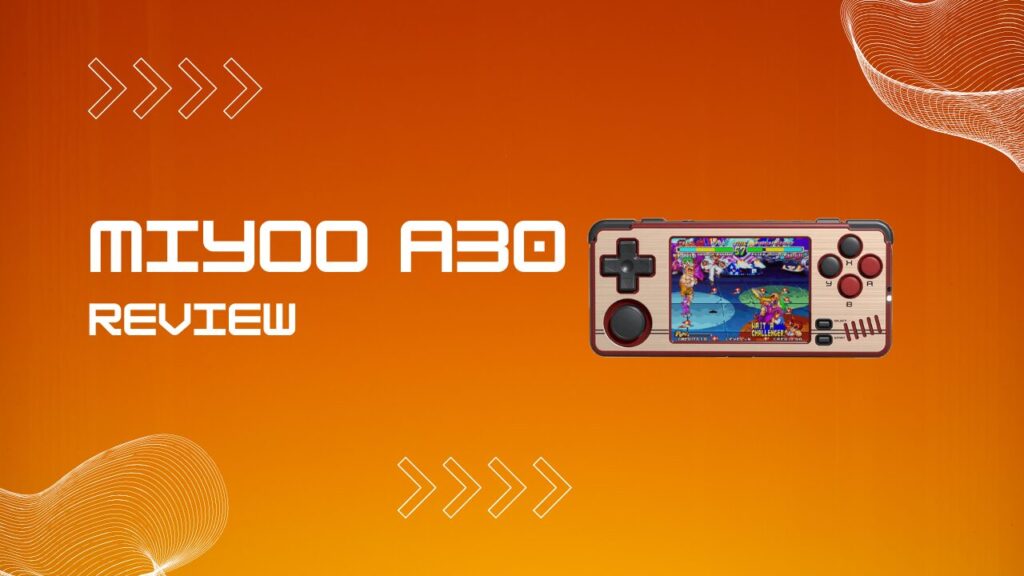
The Miyoo A30 is a pocketable horizontal retro gaming handheld built around a 2.8-inch IPS screen and a budget-tier SoC (system-on-chip). It does not try to be a powerhouse. What it does try to be is a comfortable, affordable, Game Boy Micro-style device for playing classics wherever you are. Whether it succeeds depends entirely on which consoles you care about. Let’s break every aspect of this device down so you can make a genuinely informed decision.
Key Takeaways
- The Miyoo A30 uses an Allwinner A33 quad-core ARM Cortex-A7 CPU, a Mali-400 MP2 GPU, and 512MB of RAM.
- It excels at NES, SNES, GBA, GBC, Sega Genesis, and PS1 emulation out of the box.
- N64 works for many titles with overclocking, while Dreamcast emulation is still best treated as a bonus rather than a reason to buy the device.
- Your microSD card should be formatted to FAT32 with an MBR partition layout. exFAT is the setup mistake that trips up most new owners.
- SpruceOS is the recommended custom firmware setup for most people because it improves usability, adds themes and shaders, and smooths out several rough edges.
- The headphone adapter is quirky, and wired audio is more restrictive than it should be.
- At the right price, the Miyoo A30 is a very good retro handheld for 8-bit through PS1 gaming, as long as you do not buy it for Dreamcast.
Pros And Cons
Pros
- Compact horizontal design that is genuinely comfortable for short and medium sessions.
- Sharp 2.8-inch 640×480 IPS screen that suits retro systems extremely well.
- Strong performance for NES, SNES, GBA, Genesis, and most PS1 games.
- SpruceOS makes the device feel far better than stock.
- Usually affordable enough to make the compromises easier to forgive.
Cons
- Dreamcast, PSP, and heavier N64 games push past the device’s comfort zone.
- Setup is simple only after you know the FAT32 and MBR requirement.
- Wired headphones are far more finicky than they should be.
- The included or bundled microSD situation can create avoidable reliability issues.
- Buttons and overall feel are good, but not class-leading.
Miyoo A30 Specs: Inside The Allwinner A33 Processor
The Miyoo A30 processor is the Allwinner A33, a quad-core ARM Cortex-A7 chip clocked at up to 1.2GHz on the stock baseline, with some firmware setups exposing more headroom through performance profiles. This chip is paired with a Mali-400 MP2 GPU and 512MB of RAM. The architecture is 32-bit ARM v7. It is not cutting-edge in 2026, and it was not cutting-edge when the A30 launched either. Miyoo chose it for cost-efficiency and thermal control, which keeps this a thin, quiet device without active cooling.
Here is the full spec sheet:
| Spec | Detail |
|---|---|
| CPU | Allwinner A33, Quad-core Cortex-A7, up to 1.2GHz |
| GPU | Mali-400 MP2 |
| RAM | 512MB |
| Display | 2.8-inch IPS, 640×480 |
| Storage | microSD |
| Battery | 2600mAh |
| Connectivity | 2.4GHz WiFi |
| OS | Linux |
| Dimensions | 5 x 2.2 x 0.59 inches |
| Weight | 186g |
The Mali-400 MP2 is a competent graphics processor for 2D sprite rendering and light 3D geometry. It handles PS1-era visuals well enough, though it runs out of headroom quickly once emulation demands climb toward Dreamcast and PSP territory. The battery is decent for the class, and sleep-friendly firmware features make the device feel more usable day to day than the raw spec sheet suggests.
The 2.8-inch IPS display at 640×480 is genuinely one of the A30’s strongest selling points. The native 4:3 aspect ratio fits retro systems neatly, the brightness is solid, and the color reproduction makes GBA and SNES games look exactly as they should. No stretching, no compromise.
First-Time Setup: Fixing The Miyoo A30 FAT32 Problem
The Miyoo A30 FAT32 problem is the most common frustration new owners run into, and it derails otherwise smooth setups. The device expects a microSD card formatted as FAT32 with an MBR (Master Boot Record) partition layout. Most larger cards arrive pre-formatted as exFAT, which is convenient for modern devices and completely unhelpful here. The A30 will often behave as if the card is dead when the real issue is simply the wrong file system or partition scheme.
The next bit of friction is that the bundled card situation is not great. Cheap unbranded cards have a nasty habit of appearing fine during file transfer and then throwing random errors, missing files, or failed boots once you actually start using the handheld. I swap them out immediately for a branded card because I have seen too many retro handhelds act haunted when the real culprit was a flimsy microSD.
Follow these steps exactly to get up and running:
- Download Rufus.
- Insert your microSD card into a USB card reader and open Rufus.
- Set Boot Selection to Non Bootable.
- Set File System to FAT32 or Large FAT32.
- Confirm Partition Scheme is set to MBR, not GPT.
- Click Start and accept any warnings.
- Download SpruceOS.
- Extract the SpruceOS files and copy them to the root of the formatted card.
- Insert the card, power on the A30, and allow the first-boot process to complete.
The MBR versus GPT distinction is the step that catches people even after they nail the FAT32 format. If your card is FAT32 but the A30 still does not respond, go back and verify the partition scheme before you waste an hour suspecting the device itself. In my experience, this is exactly the kind of issue that makes a handheld feel unreliable on day one even though the fix is boringly simple.
Miyoo A30 Boot Checklist
- Use a branded microSD card first, not the card that came in the box.
- Confirm the card is FAT32, not exFAT.
- Confirm the partition scheme is MBR, not GPT.
- Copy the firmware files to the root of the card, not into an extra folder.
- Re-seat the card fully after copying files.
- If you are updating stock firmware, use USB-A to USB-C charging rather than a random fast charger.
- If the device still refuses to boot, reformat and start again before assuming the handheld is faulty.
Custom Firmware: SpruceOS Vs. MinUI
SpruceOS is the community firmware setup that turns the Miyoo A30 from a decent handheld into a much better one. Stock is functional, but Spruce cleans up the menu flow, improves configuration, adds performance profiles, supports autosave shutdown and resume behavior, and makes the whole thing feel more deliberate. That matters because the A30 is one of those devices where software polish does a lot of the heavy lifting.
The important nuance is that Spruce is not some magical hardware upgrade. It is better thought of as an overhaul of the stock SD card environment that strips out clutter, preconfigures emulators more sensibly, and exposes the A30’s limited hardware in a smarter way. I like that approach because it improves the experience without pretending this little Allwinner chip suddenly became a Dreamcast monster overnight.
MinUI is the alternative for users who want the opposite. It is stripped-back, fast, minimalist, and intentionally plain. For people who want to load games and never tinker, MinUI has real appeal.
The one thing I would not do casually is dive into RetroArch settings and start flipping switches just because the menus are there. On this handheld, a careless reset or override change can undo the very tweaks that make Spruce feel polished in the first place. I leave the deeper configuration alone unless a specific core is misbehaving, and that habit has saved me a lot of needless troubleshooting.
Miyoo A30 Themes And Shaders
Miyoo A30 themes in SpruceOS are simple to install and genuinely fun to explore. Themes are usually added through the Themes folder on the microSD card, and Spruce handles the rest cleanly. That gives the handheld a more custom feel than the price would suggest.
The community theme library includes minimalist layouts, darker monochrome styles, and more playful skins that change the personality of the interface without affecting performance. The hidden friction is that not every theme is equally polished across every screen, so sometimes the menu looks great until you dip into a settings page and notice an icon or spacing choice that feels slightly off. That is not a deal-breaker, but I have definitely installed one or two themes, admired them for five minutes, and gone right back to the default because it simply felt more coherent.
Miyoo A30 shaders are available through the RetroArch layer used by SpruceOS. CRT-style scanlines, LCD-grid looks, and scaling tweaks can improve how older systems feel on the 640×480 panel. The trick is restraint. A light shader can add character, while an aggressive one can soften the image and make a tiny screen look muddier than it should.
What Can The Miyoo A30 Play?
The question of what can the Miyoo A30 play has a more generous answer than the hardware tier might suggest. In practice, the A30 comfortably targets classic systems first and treats newer 3D platforms as occasional extras. That distinction matters because supported and enjoyable are not the same thing.
NES, Miyoo A30 SNES, And 16-Bit Systems
The Miyoo A30 SNES experience is strong across most of the library. NES, Game Boy, Game Boy Color, GBA, Sega Genesis, Game Gear, and Master System all feel comfortably within the hardware’s lane. These are the systems where the device makes immediate sense.
There is one sneaky source of confusion with SNES performance. Some users blame the hardware when what they are really seeing is a filter or override issue that makes the image softer and the experience feel slightly off. I have had moments where a game looked blurrier than expected, or felt just a touch wrong, and the fix was simply disabling the video filter in RetroArch and saving the proper core override. Once that is sorted, SNES becomes one of the A30’s best use cases.
I find the SNES library in particular looks wonderful on this display. Super Metroid, Chrono Trigger, and the Donkey Kong Country games all suit the screen beautifully, and a subtle shader can give them a little extra texture without dragging performance down.
PS1, N64, And Nintendo DS
PS1 emulation on the Miyoo A30 is a legitimate strength. The Cortex-A7 cluster handles PlayStation well enough that much of the library runs smoothly and feels worth playing on a handheld this small. This is the upper edge of where the device still feels like a smart buy rather than a compromise machine.
N64 is more selective. Simpler titles such as Super Mario 64 or Mario Kart 64 can land in playable territory, especially with performance tweaks, but you should not expect universal success. The hidden friction is that chasing a few extra frames can become its own hobby. You tweak clocks, test another core setting, and suddenly you are benchmarking a bargain handheld instead of actually playing games. I can enjoy that process in small doses, but most people buy a device like this to relax, not to become a part-time emulator mechanic.
Nintendo DS support exists, but it makes more sense for lighter, less demanding games than for the heavy 3D showpieces. The small screen also changes the calculus because dual-screen play is always a compromise here, even when the game itself runs acceptably.
Miyoo A30 Dreamcast: The Honest Truth
Dreamcast emulation on the Miyoo A30 is poor, and there is no elegant way around that. Some games boot, some games crawl, and some live in the awkward middle where they technically run but never feel pleasant. If Dreamcast matters to you, this should not be your first choice.
Overclocking can help in tiny bursts, but it does not rewrite the hardware ceiling. It can also make the handheld feel warmer and chip away at battery life faster than many buyers expect. I notice this most when I stop thinking about frame rate and start noticing the shell itself. That is usually the point where I put the experiment down and go back to PS1, which is a far better use of the A30’s strengths.
The hardware reality is simple. The Allwinner A33 is an old, entry-level chip, and the Miyoo A30 was not designed to be a Dreamcast handheld. Buy it for older systems and you will likely enjoy it more.
Headphones And Audio: A Quirk Worth Knowing
The Miyoo A30 headphones situation is one of the device’s most frustrating limitations, and it catches buyers off guard more often than it should. The A30 has no built-in 3.5mm headphone jack. It relies on a USB-C to 3.5mm adapter.
The first problem is compatibility. The A30 does not play nicely with the standard USB-C audio adapter logic most people assume will work. In practical terms, that means the adapter in your drawer is usually useless here, even if it fits physically.
The second problem is that not every 3.5mm plug behaves the same way. Stereo headphones without a microphone are the safest bet, while common headset-style plugs with mic support can cause distorted output or no sound at all. This is the sort of issue that feels absurd until you hit it yourself, because on almost every other device the same pair of earphones works without a second thought.
The third problem is durability and convenience. The included adapter sticks out in a way that is awkward for pockets, and that adds cable stress every time you stash the handheld quickly. I am picky about pocket devices, and this sort of thing matters more than spec-sheet shoppers tend to admit. A pocket handheld should disappear into your routine. If the cable catches, bends sharply, or makes you baby the device every time you move, the friction adds up fast.
The practical fix is to keep a cheap dedicated pair of plain stereo earbuds for the A30 and not overthink it. Once you solve that little compatibility puzzle, the actual sound quality is perfectly fine for a handheld at this price.
How The Miyoo A30 Compares To The Miyoo Mini Plus
The Miyoo A30 and the Miyoo Mini Plus share a brand and a general philosophy, but they serve meaningfully different use cases in form factor, ergonomics, and feel. If you want a fuller breakdown of how those two devices differ in hardware capability, screen quality, controls, and which one suits different play styles, the detailed analysis in this Miyoo Mini Plus review covers the comparison in depth. The A30’s horizontal layout and the Mini Plus’s vertical profile feel like entirely different devices in hand, and that ergonomic distinction alone can be the deciding factor for longer sessions.
The A30’s horizontal form factor is, in my opinion, one of its biggest strengths. It sits closer to a tiny controller than a tiny vertical handheld, and that makes it friendlier for games that ask you to play for more than ten minutes at a time.
Is The Miyoo A30 Worth It In 2026?
The Miyoo A30 review verdict comes down to expectation management. If you want a sub-premium handheld that plays NES, SNES, GBA, Genesis, and much of the PS1 library on a sharp screen in a compact shell, it delivers real value. Add SpruceOS and the package gets better because the software stops fighting the hardware and starts working with it.
If your expectations include reliable Dreamcast, broad N64 coverage, or strong PSP performance, this is the wrong device. Spend more and move up a tier. That is not a criticism so much as a boundary line.
For the person who wants a genuinely pocketable retro handheld for the classics, the A30 still earns its place. It is not perfect, but it understands its job well enough to be charming.
Conclusion
The Miyoo A30 review conclusion is straightforward: buy it for the classics, and it will make a lot more sense than the spec sheet suggests. Format your microSD card correctly, use a decent branded card, install SpruceOS, and keep your expectations focused on the systems this hardware actually handles well. Do that, and the Miyoo A30 becomes one of the more satisfying compact handhelds in its price range.
Meta Description: The complete Miyoo A30 review for 2026, covering setup, CPU performance, SNES, PS1, Dreamcast, firmware, audio quirks, and whether it is worth buying.
Suggested URL Slug: miyoo-a30-review