The Miyoo Mini Plus review that most people actually need skips the fluff and gets to the real question: is this tiny handheld a genuinely useful retro gaming device, or is it a novelty gadget that ends up in a drawer after two weeks? Having spent serious time with one, I can tell you it lands firmly in the first category, with a few honest caveats that are worth knowing before you buy.
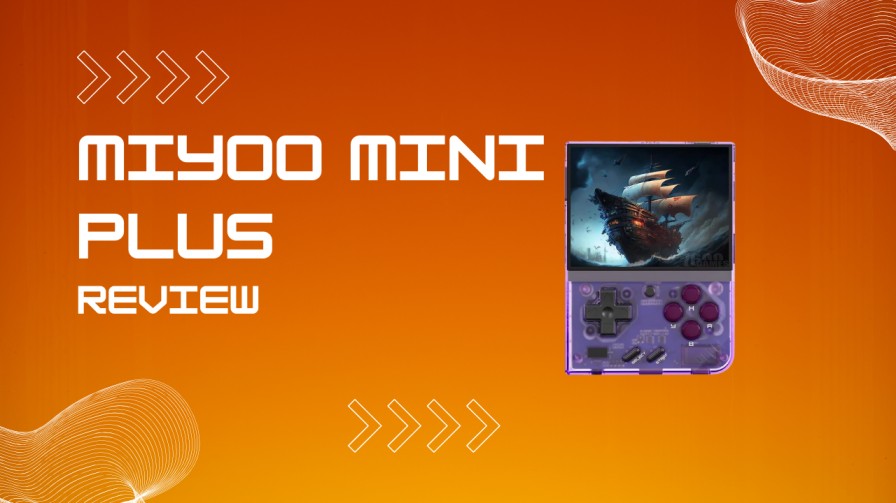
The Miyoo Mini Plus sits in an interesting position in the retro handheld market. It is not the most powerful budget device you can buy in 2026, and it does not pretend to be. What it does, it does with remarkable polish for a cheap handheld: it plays a huge chunk of classic gaming history, fits in a jeans pocket, and plugs into one of the best community firmware ecosystems in the hobby.
Key Takeaways
- The Miyoo Mini Plus is a pocket-sized retro handheld built around the SigmaStar SSD202D and tuned for classic systems rather than higher-end 3D emulation.
- The 3.5-inch IPS screen is still one of the best displays in the budget handheld category.
- NES, SNES, Game Boy, GBA, Genesis, arcade, and PS1 are where this device feels most at home.
- OnionOS is the biggest upgrade you can make, and it meaningfully improves setup, game management, save behavior, and day-to-day usability.
- Battery life is solid enough for short sessions, but sleep mode is not something I would trust for half a day.
- The closest rival remains the Anbernic RG35XX line, with the Miyoo winning on software feel and pocketability.
- If your dream library is mostly 8-bit, 16-bit, and PS1, this little machine still earns its place in 2026.
What Is the Miyoo Mini Plus?
The Miyoo Mini Plus is a compact retro gaming handheld made for emulating classic systems in a vertical Game Boy-style shell. It followed the original Miyoo Mini, but fixed several things that mattered in real use: the screen is larger, the battery is better, WiFi is built in, and there is now a proper headphone jack.
Those changes sound modest on paper, but they improve the ownership experience more than the spec list suggests. WiFi opens the door to RetroAchievements, wireless file transfer, and a few genuinely useful network features. The larger screen also makes text-heavy RPGs and PlayStation menus much less fiddly than they were on the smaller original.
Miyoo Mini Plus Review: Quick Specs at a Glance
Understanding the hardware is the fastest way to set proper expectations. The core specifications are simple and honest:
- Processor: ARM Cortex-A7 dual-core at 1.2GHz
- Chipset: SigmaStar SSD202D
- RAM: 128MB
- Display: 3.5-inch IPS panel, 640×480 resolution, 4:3 aspect ratio
- Battery: 3000mAh
- Connectivity: 2.4GHz WiFi, USB-C charging, 3.5mm headphone jack
- Storage: microSD card slot
- Operating System: Stock Miyoo OS or OnionOS
- Controls: D-pad, ABXY, Start, Select, Menu, L1/R1/L2/R2
- Missing Features: No analog sticks, no HDMI output
The 128MB RAM figure still makes newcomers pause, and fair enough, it sounds tiny. In practice, it is enough for the systems this handheld is actually built for. The limitation only becomes a real issue when people expect Nintendo 64, Saturn, Dreamcast, or anything else well outside the natural lane of this hardware.
Miyoo Mini Plus Pros and Cons
Pros
- Excellent 3.5-inch IPS screen for the price.
- Genuinely pocketable without feeling flimsy.
- Great D-pad for platformers, fighters, and RPGs.
- OnionOS is polished, useful, and easy to live with.
- Built-in WiFi adds real quality of life features.
- PS1 performance is better than many people expect.
Cons
- No HDMI or TV output.
- Sleep mode is weaker than it should be.
- No analog sticks, which limits certain systems and genres.
- Cheap bundled microSD cards are often the root of later problems.
- Ceiling stops around PS1 and lighter DS use, which will frustrate power seekers.
Design and Build Quality
The Miyoo Mini Plus punches above its price bracket on physical design. The shell is compact, light, and rounded just enough to stay comfortable in longer sessions without feeling toy-like. It also sits flat on a table, which sounds minor until you have owned other handhelds that wobble every time you put them down.
The D-pad is one of the better stock D-pads in the budget category. It is accurate, responsive, and precise enough for twitchier 2D games, which matters a lot more than raw specs on a retro handheld. The face buttons feel clean and consistent, though the stacked shoulder buttons still ask for a slight hand adjustment in games that use all four triggers heavily.
Color choices are part of the charm here. White looks clean and almost deliberately nostalgic, transparent black has the most obvious retro-tech appeal, and the pink and blue options bring a little personality without looking cheap. I still think the best color is the one you will actually want to carry around, because a handheld this small only wins if you use it often.
The 3.5-Inch IPS Screen
The display is still the strongest single feature of the Miyoo Mini Plus. The 3.5-inch IPS panel at 640×480 gives classic pixel art a crisp, balanced look that feels especially good with Game Boy Advance, SNES, and PS1-era visuals. Colors pop without looking cartoonishly oversaturated, and the 4:3 shape suits the library almost perfectly.
Brightness is fine indoors and usable outdoors if you are not fighting direct sunlight. Early units had some talk around light bleed, and that has always been one of those annoying quality-control wrinkles budget handhelds flirt with. On newer units, the bigger story is that the panel simply looks far better than it has any right to at this price.
How to Set Up the Miyoo Mini Plus
Setting up the Miyoo Mini Plus is not difficult, but doing it cleanly matters. The stock firmware works out of the box, yet most owners move to OnionOS quickly because it improves almost every part of the experience. A tidy first setup usually takes 30 to 45 minutes.
- Format a fresh microSD card.
- Download the latest stable OnionOS release.
- Extract the OnionOS files to the root of the card.
- Add BIOS files to the BIOS folder.
- Add your game files to the correct ROM folders.
- Insert the card and boot the device.
- Let OnionOS complete the install.
- Open Package Manager and enable the systems you actually plan to use.
- Scrape box art later, not before the first successful boot.
The part that trips people up is not the installer, it is the card prep. A 64GB card often arrives as exFAT, and some users also run into odd partition layouts that technically mount on a PC but behave badly on the handheld. I now do the dull, sensible routine every time: fresh format, one BIOS set, one GBA ROM, one first boot, then I copy the rest only after I know the card is behaving.
A good microSD card is not an accessory, it is part of the system. Cheap bundled cards are behind a huge number of frozen splash screens, missing games, failed saves, and weird one-off errors that waste an entire evening. I would rather spend a few extra pounds on a Samsung or SanDisk card than spend two hours pretending the firmware is haunted.
OnionOS: The Firmware That Changes Everything
OnionOS is the reason the Miyoo Mini Plus feels better than a lot of similarly priced rivals. It replaces the stock experience with a faster, cleaner interface built around RetroArch and a much smarter day-to-day workflow. Saying it is optional is technically true, but only in the same way that decent tyres on a car are optional.
The feature list is strong, but more importantly, it is practical:
- GameSwitcher makes recent games easy to jump back into.
- Package Manager lets you enable only the systems and apps you want.
- RetroAchievements works over WiFi.
- Search helps when your library gets messy.
- Themes and icon packs make the interface easy to customize.
- Activity tracking gives a nicer sense of what you actually play.
- Guest mode is handy if the handheld gets passed around.
- Wireless transfer means fewer cable shuffles.
The sneaky frustration with OnionOS is that it still expects you to respect its file logic. If games do not appear, the issue is often not the ROM itself, it is that the system was never enabled in Package Manager, the ROM cache was never refreshed, or hidden junk files came along for the ride from macOS. I still check those three things before blaming the handheld, because they solve the problem far more often than people expect.
OnionOS also gets the little workflow details right. Save and exit behavior feels fast, GameSwitcher makes hopping between two or three comfort games effortless, and the menu shortcuts become second nature faster than you would think. Once you get used to that rhythm, the stock firmware starts to feel like using the device with one hand tied behind your back.
What Consoles Can the Miyoo Mini Plus Emulate?
The Miyoo Mini Plus covers a wide spread of older systems, and most of its best results come from sticking to the machines it was always meant to target. If you treat it like an 8-bit through PS1 specialist, it feels excellent. If you try to turn it into a miracle box, the edges show up fast.
Runs Very Well
- NES and Famicom
- SNES and Super Famicom
- Game Boy and Game Boy Color
- Game Boy Advance
- Sega Master System
- Sega Genesis and Mega Drive
- Game Gear
- Neo Geo Pocket
- PC Engine and TurboGrafx-16
- Arcade sets through supported cores
- PlayStation 1
Works With Caveats
- Nintendo DS
- ScummVM
- Some older home computer systems
- Pico-8, especially if you enjoy tinkering a little
Outside Its Comfortable Range
- Nintendo 64
- Sega Saturn
- Dreamcast
- GameCube
- PlayStation 2
The big draw is still PlayStation 1. That library alone gives the handheld real staying power, because it opens the door to RPGs, racers, survival horror, 2D fighters, and weird little experimental games that feel surprisingly natural on a small vertical handheld. If your nostalgia leans toward PS1, GBA, and SNES, this device stops being a cheap curiosity and starts feeling oddly essential.
Performance Breakdown
Performance is smooth and predictable as long as you stay inside the system’s natural limits. NES, SNES, Game Boy, GBA, Genesis, and most arcade titles all run comfortably, with enough room left over for light shaders and clean scaling. That matters because visual polish on a 640×480 IPS screen can make old games feel dramatically nicer without hurting responsiveness.
PlayStation 1 is the most interesting test case, because this is where people start wondering whether the handheld is secretly more powerful than it looks. The answer is mostly yes for the right games. Final Fantasy VII, Castlevania: Symphony of the Night, Metal Gear Solid, and a huge amount of the PS1 library feel good here, while heavier late-era 3D games can show occasional dips or audio roughness.
The hidden performance fight is not just raw CPU headroom, it is file format and feature stacking. PS1 games stored as CHD are usually tidier to manage than messy BIN/CUE sets, and once you combine rewind, fast-forward, and heavier shaders, crackle and stutter arrive faster than people expect. In my experience, a light shader and rewind disabled will often smooth out a borderline PS1 game more effectively than endless menu tweaking.
Fast-forward is one of the best quality-of-life features on the whole device. It makes RPG grinding, long intros, and repeated battles much easier to live with. Save states are equally useful, and on a handheld like this they change how willing you are to actually start bigger games.
Battery Life
Battery life is good enough, though not class-leading. Lighter systems can stretch toward the upper end of a 4 to 6 hour window, while PS1 and higher brightness drag that number down. That is a fair trade for the screen quality and the size of the unit, but it does mean this is a pick-up-and-play handheld rather than a long-haul travel beast.
Sleep mode is where the small print matters. The handheld can suspend, but it does not behave like a modern Switch or phone where you can forget about it for half a day and come back to the same charge level. I treat sleep as a short pause feature, not an all-afternoon parking spot, and the device is much less annoying once you adopt that mindset.
Charging has its own little personality. The port is USB-C, but the handheld often seems happier with simple USB-A to USB-C cables and modest chargers than with clever high-output bricks. I have had one look totally dead, leave it alone on a basic charger for a bit, and then watch it come back as if nothing had happened, which is a good reminder not to panic too early.
Miyoo Mini Plus vs Anbernic RG35XX
The Anbernic RG35XX line is the comparison that never goes away, and fair enough, the matchup makes sense. They chase the same audience, the same library, and roughly the same budget. The difference is not night and day, but it is meaningful.
| Feature | Miyoo Mini Plus | Anbernic RG35XX Plus |
|---|---|---|
| Screen | 3.5-inch IPS, 640×480 | 3.5-inch IPS, 640×480 |
| WiFi | Yes | Varies by model |
| HDMI Out | No | Yes |
| Software Feel | OnionOS is the standout | Good, but less unified |
| Pocketability | Better | Slightly bulkier |
| Raw Headroom | Lower | Higher |
| Best For | Simplicity, portability, software polish | Extra features, more performance headroom |
The RG35XX Plus has more raw power and the practical bonus of TV output, which is not nothing. The Miyoo Mini Plus wins on feel, though. OnionOS is still the cleaner, more pleasant ecosystem to actually live with, and that matters more to me over a month of use than a spec advantage that only shows up in edge cases.
Customization: Themes, Skins, and Box Art
Customization is one of the most fun parts of owning the Miyoo Mini Plus. OnionOS themes can change the whole mood of the device, from stripped-back minimal layouts to busier, more nostalgic console-inspired setups. If you care about your handheld feeling personal, this platform gives you plenty to play with.
Physical customization is just as deep. There are skins, decals, screen protectors, replacement buttons, and even full shell swaps floating around from third-party sellers. Most of that is cosmetic, but some of it is genuinely practical, especially if you want a better grip or a less slippery finish.
Box art is where the handheld starts feeling like a curated library rather than a stack of ROM folders. Once you scrape artwork and pair it with a good theme, the whole thing feels more deliberate and much more premium than the price suggests. I never thought box art mattered that much until I used a properly organized handheld for a week and then had to go back to plain file names.
Common Issues and Fixes
The Miyoo Mini Plus is usually reliable, but the same handful of issues appear often enough that it is worth having a cleaner reference point than a messy forum thread.
| Symptom | What It Usually Means | Best Fix |
|---|---|---|
| Stuck on splash screen | Corrupt or low-quality microSD card, bad install, or broken cache | Reformat the card, reinstall OnionOS, then test with a tiny ROM set first |
| Games copied over but missing from menu | System not enabled or ROM cache not rebuilt | Enable the system in Package Manager, then refresh ROMs |
| PS1 game appears but will not boot | Missing BIOS, bad file structure, or messy track files | Add the correct BIOS and use a clean CHD or proper BIN/CUE set |
| Save state failed | Card is read-only, failing, or full of errors | Back up saves immediately and replace the microSD card |
| Charges but will not turn on properly | Battery very low or cable/charger combo is fussy | Use a basic charger, leave it for a while, then retry |
| Device freezes after menu tweaks or theme changes | Corrupt settings or theme files | Revert the theme, clear bad files, or reinstall cleanly |
Backups are less exciting than themes, but they matter more. OnionOS keeps most of the important personal data in the /Saves folder, which makes rescue work much easier than on some other handhelds. I make a dated copy of that folder before any big firmware change because losing ten minutes to a backup is annoying, but losing forty hours of a JRPG is much worse.
If the device freezes or gets stuck on a boot image, I would start with the card before I start blaming the hardware. If games are invisible, I would check folder names, Package Manager, and ROM refresh behavior before doing anything dramatic. Most Miyoo Mini Plus problems feel mysterious for about twenty minutes, then turn out to be painfully boring.
Miyoo Mini Plus Review: The Verdict
The Miyoo Mini Plus review conclusion is still straightforward: this is one of the best value retro handhelds you can buy in 2026 if your tastes line up with what it actually does well. It nails the basics that matter, including screen quality, controls, portability, and a software experience that feels genuinely cared for once OnionOS is installed.
Its limits are real. There is no TV output, sleep mode is only fine, there are no analog sticks, and the hardware ceiling arrives long before modern 3D systems enter the conversation. None of that ruins the device, but it does keep the recommendation honest.
If you want a tiny handheld for NES, SNES, Game Boy, GBA, Genesis, arcade games, and a very enjoyable chunk of the PS1 library, the Miyoo Mini Plus still makes a lot of sense. Set it up properly, use a decent microSD card, keep your expectations pointed at the right era, and it becomes one of those rare little gadgets that actually earns repeat use instead of novelty status. I still think that is the strongest compliment a handheld like this can get.