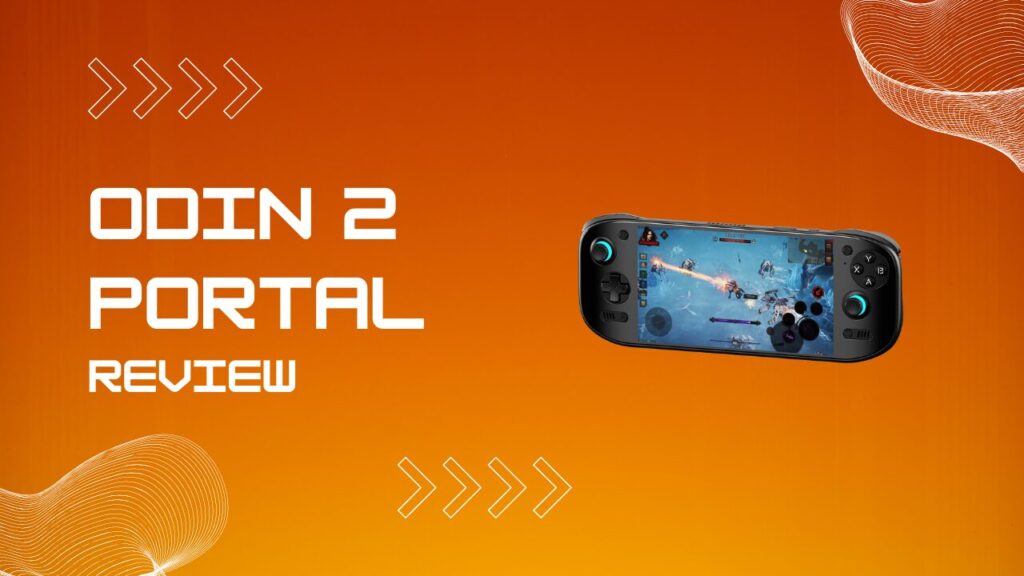
The AYN Odin 2 Portal is the device that finally made me stop recommending the original Odin 2 to new buyers without hesitation. It takes the proven Snapdragon 8 Gen 2 foundation, adds a much better 7-inch OLED panel, improves wireless capability, and feels far closer to a premium daily-use handheld than a spec-sheet experiment. This Odin 2 Portal review covers what matters in 2026: the actual hardware, the dock situation, HDR and display quality, Linux support, streaming latency, and the little friction points that only show up after the honeymoon period ends.
Key Takeaways
- Powered by the Qualcomm Snapdragon 8 Gen 2 with Adreno 740 graphics
- 7-inch 1080p 120Hz OLED display with punchy contrast and excellent motion clarity
- Three main configurations, with the Pro model hitting the best value point for most buyers
- Wi-Fi 7 makes the Odin 2 Portal excellent for Moonlight, Artemis, and PS Remote Play
- Linux support adds serious upside through Batocera and ROCKNIX
- The optional dock is useful, but the standalone handheld does not include one in the box
- Battery life is still one of the Portal’s biggest strengths
- The display is the headline feature, but the smaller setup quirks are what separate a smooth experience from an annoying one
What Is The AYN Odin 2 Portal?
The AYN Odin 2 Portal is a premium Android handheld built for emulation, streaming, and native Android gaming. It sits in that sweet spot where the hardware is strong enough to feel high-end, but the price is still far below the big x86 handheld crowd, which is exactly why it has become such a tempting buy for retro players and tinkerers.
The big visual shift is the single-sheet glass front, which makes the Portal look cleaner and more expensive than the original Odin 2. That polished front does a lot for first impressions, but here is the catch: the back shell can feel slicker than the device looks, and I noticed that most when playing in bed or holding it slightly upward instead of bracing it on my lap. A handheld can be technically comfortable and still feel a little eager to slide, and the Portal walks right up to that line.
The rest of the hardware does enough to justify the “Portal” upgrade. You get a larger OLED panel, the same strong Qualcomm foundation, active cooling, better streaming credentials, and a layout that feels more grown up than many Android handhelds that still look like prototype gamepads with a screen glued in the middle.
Pros And Cons
Pros
- Excellent OLED screen with 120Hz refresh rate
- Strong Android emulation performance
- Great battery life for the power on tap
- Very good streaming handheld for Moonlight, Artemis, and PS Remote Play
- Premium front design and noticeably improved overall feel
- Linux support adds long-term value for enthusiasts
Cons
- The shell can feel slippery during longer handheld sessions
- Base storage gets cramped surprisingly fast
- The dock is optional, not included
- Turnip drivers are useful, but not every game likes them
- Speaker tuning and fan pitch can be divisive depending on your tolerance
Odin 2 Portal Review: Full Specs Table
The Odin 2 Portal specifications are strong because they still lean on proven flagship-class Android silicon rather than trying to cut corners. At the center is the Snapdragon 8 Gen 2 paired with the Adreno 740, which remains a very capable combo for Android emulation, game streaming, and demanding native apps.
| Specification | Detail |
|---|---|
| CPU | Qualcomm Snapdragon 8 Gen 2 |
| GPU | Adreno 740 |
| RAM | 8GB / 12GB / 16GB LPDDR5X |
| Storage | 128GB / 512GB / 1TB |
| Display | 7-inch OLED, 1920×1080, 120Hz |
| Brightness | 800+ nits |
| Contrast | 100,000:1 |
| Battery | 8,000mAh |
| Charging | 27W |
| Connectivity | Wi-Fi 7, Bluetooth 5.3 |
| I/O | USB 3.1 Type-C, microSD, 3.5mm jack |
| OS | Android 13 |
| Weight | 430g |
| Colors | Black, White, Indigo |
Those numbers matter, but the shape of the storage stack matters just as much. The Base model looks affordable on paper, yet 128GB disappears faster than most buyers expect once Android games, texture packs, PS2 libraries, shader caches, and general media storage start piling up. I have made this mistake on other Android handhelds before, and it always starts the same way: first you say microSD will handle it, then you remember not every app or cache behaves the way you want.
The Portal also stays lighter than most x86 alternatives, and that difference is not a tiny comfort footnote. A 430g handheld is still substantial, but it is much easier to use for long sessions than something closer to Steam Deck territory.
The OLED Display: HDR Performance And The 120Hz Difference
The OLED display is the reason most people notice the Portal in the first place, and it deserves the attention. The jump from the original Odin 2 display to this 7-inch 1080p 120Hz OLED panel is not a gentle upgrade. It changes how games look, how motion feels, and how premium the whole device seems before you even launch an emulator.
Odin 2 Portal HDR performance looks especially good in darker scenes because the panel can finally deliver convincing blacks instead of that slightly washed, backlit haze you get on weaker LCD panels. Horror games, moody action titles, and anything with strong contrast instantly feel richer. Resident Evil 4 is still a great example because shadows stop looking like grey fog and start looking intentional.
The refresh rate matters just as much as the panel type. The Portal ships at 60Hz by default, which is one of those small setup choices that can lead buyers to undersell the device on day one. Flip it to 120Hz immediately. I did that first, and the whole handheld suddenly felt more honest, like it had stopped hiding one of its best features under a boring factory preset.
The motion clarity is where the Portal quietly wins people over. Touch response feels faster, menu navigation feels cleaner, and games that rely on fast directional changes just feel less mushy. That effect is hard to explain until you bounce between the Portal and an older 60Hz Android handheld, then it becomes painfully obvious.
One display-related caveat is RetroArch black frame insertion. It sounds brilliant on paper because 120Hz opens the door to cleaner perceived motion, but in practice it can create a pulsing flicker that some people will tolerate and others will hate. I fall firmly into the second group. If a setting makes me admire motion clarity for thirty seconds and then wonder why I feel slightly seasick, that setting is getting disabled.
Odin 2 Portal Review: Gaming Performance And Emulation Depth
The Odin 2 Portal performs the way a mature Snapdragon 8 Gen 2 handheld should. It breezes through older systems, handles GameCube and PS2 with confidence, and gives you enough headroom to push resolution higher without turning every setup session into a compromise factory.
For retro systems and lighter 3D platforms, the Portal is frankly overqualified. PSP, Dreamcast, N64, Saturn, and older systems run in the kind of comfortable zone where you spend more time picking art assets and controller themes than worrying about raw speed. That is a good place to be.
PS2 and GameCube are where the device starts to feel worth the money. A lot of the library is playable at elevated resolution, and the OLED panel does older art styles a massive favor. Bright Sega colors, Nintendo first-party art, and cel-shaded games all pop harder here than they do on a cheaper IPS screen.
Switch emulation remains the usual mix of “surprisingly great” and “stop pretending every game will work.” The Portal is one of the better Android devices for it, but good hardware does not magically solve imperfect emulator development. You still need realistic expectations, a willingness to test custom drivers, and some patience.
That same patience applies to storage management. The Base model can run the software just fine, but it is easy to build yourself into a corner once large Android games enter the picture. Honkai Star Rail, Genshin, HD texture packs, frontend media, and app data all add weight quickly. I have seen too many people buy the smaller model to save money, then immediately start micromanaging folders like they are living in a studio flat with too many roommates.
Setting up the Odin 2 Portal is straightforward, but it pays to be deliberate. Update Android first, switch to 120Hz, sort your storage plan, install only the emulators you will actually use, and leave the random app-hoarding for later. A clean Android handheld stays fast longer.
The Odin 2 Portal Dock: 4K Output, NVMe Expansion, And TV Setup
The dock situation is simple once you strip away the confusion. The Odin 2 Portal does not come with a dock in the box, but it does support video out over USB-C, so basic external display support is available even without the branded solution.
The optional AYN dock is appealing because it turns the Portal into a more complete lounge setup. You get cleaner HDMI output, more convenient peripheral support, and storage expansion options that make the device feel less like a handheld-only toy and more like a compact hybrid console.
Docking is also one of those areas where buyer expectations drift into fantasy. Android handhelds can dock well, but they are still picky enough that cable quality, power delivery, output mode, and display behavior matter. I have used enough USB-C display gear to know that “it supports video out” is the beginning of the conversation, not the end.
Dock Setup Problems To Fix First
| Problem | What Usually Causes It | What To Do |
|---|---|---|
| No image on TV | Weak USB-C hub, bad cable, or low-power charger | Use a proper USB-C dock or adapter and a charger with enough output |
| Image cuts out during play | Power delivery instability | Connect external power before launching heavier emulators or games |
| Wrong resolution on TV | The display handshake picks a fallback mode | Reconnect the dock, then check display settings before launching apps |
| Audio stays on handheld | Android did not switch output cleanly | Unplug and reconnect HDMI or restart after docking |
| Controller not detected | The dock sees power and video, but not USB properly | Test a different USB port or reconnect after the system finishes output switching |
| Screen behavior feels odd | Internal display and external output are not behaving the way you expect | Check Odin settings and decide whether you want handheld screen off or mirrored behavior |
The most practical reason to buy the dock is convenience, not necessity. If you only plan to throw the Portal on a hotel TV once in a while, a decent USB-C adapter is enough. If you want a regular couch setup with storage expansion and fewer cable tantrums, the dock makes more sense.
Linux On The Odin 2 Portal: Batocera, ROCKNIX, And What It Unlocks
Linux support is one of the biggest reasons the Portal has lasting enthusiast value. Android is already strong here, but Linux gives the device another life for people who want a cleaner emulation-first environment or want to push into projects that feel less comfortable inside Android.
Batocera and ROCKNIX give the Portal a more console-like personality. The interface is tidier for pure retro use, boot behavior can feel more purpose built, and the whole experience becomes less about juggling apps and more about playing games. For a lot of people, that is the point.
The friction shows up during setup. Linux on the Portal is not hard in a scary way, but it is very easy to underestimate the number of little steps involved when bootloader files, storage placement, flashing order, and fallback recovery all come into play. I always tell people the same thing here: do not start a Linux install when you are tired, because tired-you will absolutely click the one thing that creates an unnecessary evening.
Turnip Drivers And Game-By-Game Tuning
Turnip drivers are one of the most useful tools in the Portal owner’s kit because they can improve performance or compatibility in specific emulators. They are not magic, though, and the biggest mistake new users make is treating them like a universal “faster” switch.
Some games love Turnip. Others run about the same. A few become unstable, throw odd visual glitches, or simply behave better on the stock path. My own rule is simple: use Turnip as a per-game experiment, not a religion. The fastest way to waste an hour is to apply one driver setup globally, then wonder why the game you actually wanted to play suddenly hates life.
Linux also gives the Portal long-term relevance that many Android handhelds never reach. When a device gets both good Android support and useful Linux options, it stops being a short-term gadget and starts becoming a platform.
Streaming And Remote Play: Where The Portal Excels
Streaming is where the Odin 2 Portal starts showing off. The combination of a sharp OLED panel, 120Hz refresh rate, strong decoder behavior, and modern wireless support makes it one of the most satisfying local streaming handhelds in its class.
Moonlight, Artemis, PS Remote Play, and Xbox streaming all make sense on the Portal because the hardware gets out of the way. The screen is large enough to feel immersive, the controls are capable enough for modern games, and the latency can feel impressively low when your network is sorted.
The network part is where a lot of people trip. Wi-Fi 7 and 6GHz support sound like automatic wins, but mixed-band home setups can still steer devices onto less ideal connections. If you want the cleanest result, give the 6GHz band its own SSID and connect directly to it instead of trusting your router to make a clever choice on your behalf. In my experience, “smart network steering” is often just a fancy label for “surprise, you are on the wrong band again.”
Once the connection is right, the Portal feels outstanding for streaming. Fast action games, racing titles, and remote PS5 sessions all benefit from the screen responsiveness. This is also where the taller sticks help, because streaming modern games with tiny, twitchy analogs is a special kind of annoyance.
Battery life during streaming is another quiet strength. Streaming usually lands on the friendlier end of the power curve, which makes the Portal a great sofa handheld when you want long sessions without lugging around something much heavier.
Which Odin 2 Portal Should You Get?
The best Odin 2 Portal model for most people is the Pro. It gives you the right balance of storage, RAM, and long-term usability without drifting into the “I bought the expensive one because I panicked” zone.
The Base model is not a bad device, but it is a more narrow device. If your plan is mostly cloud streaming, some lighter Android gaming, and a carefully curated retro library, it can work. If your plan is “I want this to do everything,” 128GB starts feeling tight almost immediately.
The Max is easiest to recommend to buyers who already know they hate compromise and hate managing space even more. Everyone else should probably take the Pro, pocket the difference, and spend the saved money on a dock, a case, better storage, or an accessory that solves an actual problem.
Color also matters more than people admit. White looks fantastic but will make grime and wear easier to notice. Black is the safest choice. Indigo has real personality, and in a market stuffed with boring black slabs, I appreciate that.
Odin 2 Portal Vs Steam Deck OLED Vs Odin 3
The Odin 2 Portal vs Steam Deck OLED question is still a real one because both devices target people who want a portable gaming machine with flexibility. The difference is that the Steam Deck is fundamentally a portable PC, while the Portal is a high-end ARM handheld that happens to be excellent at several specific jobs.
If you want broad PC library access, easier native desktop gaming, and the larger x86 ecosystem, the Steam Deck OLED is the safer answer. If you care more about streaming, Android gaming, battery efficiency, lighter weight, and polished emulation on a cleaner handheld body, the Portal has a very strong case.
The Odin 3 complicates the picture because it now exists, which means “wait for the next one” is no longer a hypothetical. Even so, the Portal still holds its ground well because its OLED screen, strong streaming behavior, mature Snapdragon 8 Gen 2 performance, and falling street prices keep it relevant. Buying the current model makes more sense when the current model is already good enough to stop being theoretical and start being useful.
My practical take is simple. Buy the Steam Deck OLED if PC gaming is the main event. Buy the Odin 2 Portal if Android emulation and streaming are the core use case. Consider the Odin 3 if you specifically want the next step up, not because you are afraid the Portal suddenly became bad overnight.
Verdict: The Odin 2 Portal Review Conclusion
The Odin 2 Portal is still one of the easiest Android handhelds to recommend because it gets the important things right. The OLED screen is excellent, the performance is mature, the battery life is strong, and the device feels like it was built by a company that finally understands what its audience actually notices after the first week.
The smaller problems are real, but they are manageable. The shell can be slippery, the Base model is too cramped for many users, Turnip drivers need per-game judgment, and docking works best when you approach it like consumer tech rather than magic. None of that kills the device. It just means the Portal rewards buyers who set it up properly instead of assuming the defaults are perfect.
That is why this Odin 2 Portal review lands in a very positive place. The Pro model is the one I would recommend most often, the display is worth the hype, Linux support adds serious longevity, and the overall package still feels unusually complete for the money. In a handheld market full of exciting spec bursts and forgettable follow-through, the Portal actually holds up once you live with it.