The trimui smart pro vs anbernic rg cubexx vs rg40xx h comparison is, without question, the most-asked question in the sub-$80 Linux handheld space right now. The budget retro gaming market in 2026 is almost comically crowded. Portrait Game Boys, landscape bricks, square-screened cubes, and full Android powerhouses are all fighting for your wallet at the same price point.
This guide maps every relevant rival against the Smart Pro with precise specs, honest emulation ceilings, and clear buying guidance.
KEY TAKEAWAYS
- The Trimui Smart Pro leads its price class on screen size (4.96″ 720p IPS) and
battery life (5000 mAh).- The Anbernic RG40XX H and RG CubeXX run the same Allwinner H700 chip; their main
difference is screen shape and ergonomics.- The Retroid Pocket 4 Pro and Retroid Pocket 5 are a different category entirely:
more powerful, more expensive, and Android-based.- The Mangmi Air X is the most disruptive sub-$100 entrant in 2025-26, offering
Snapdragon 662 performance on Android 14.- The Powkiddy X55 has a better emulation ceiling than the Smart Pro but is bulkier
and battery-limited.- The Trimui Brick shares the Smart Pro’s A133P chip in a portrait body with no
analog sticks.- Custom firmware (CrossMix OS, muOS) turns the Smart Pro from a decent device into
a genuinely great one.
What Is the Trimui Smart Pro?
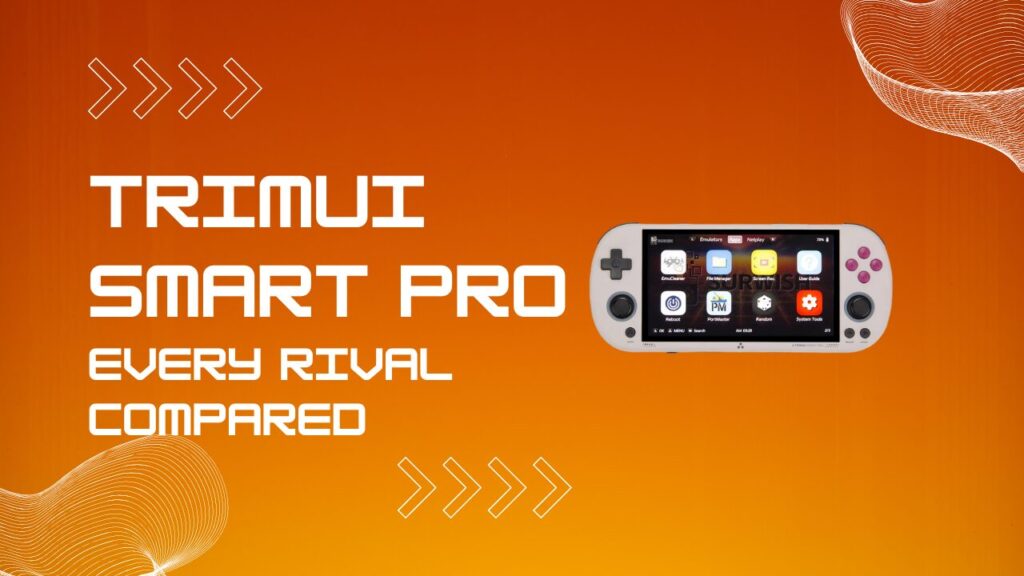
The Trimui Smart Pro is a Linux-based retro gaming handheld manufactured by the Chinese brand Trimui, launched in late 2023. Its core silicon is the Allwinner A133P (an overclocked variant of the standard A133), a quad-core ARM Cortex-A53 SoC clocked at 1.8-2.0 GHz, paired with a PowerVR GE8300 GPU at 660 MHz and 1 GB of LPDDR4X RAM. The display is a fully laminated 4.96-inch IPS panel at 1280×720 resolution, housed in a 16:9 landscape body with dual USB-C ports and a 5000 mAh battery. At under $75, it genuinely punches above its weight class.
One thing worth flagging early: the A133P has a thermal ceiling that becomes relevant during sustained play. In warm ambient conditions (above 25°C/77°F), sustained N64 or Dreamcast sessions push the SoC toward its limit within 20-25 minutes, at which point the chip steps down from its peak 2.0 GHz clock to roughly 1.5 GHz to manage heat. On CrossMix OS, the performance governor is tuned conservatively enough that this thermal step-down is largely invisible in practice. On the stock OS, you will feel it as intermittent frame rate dips in games that were already borderline. The device also ships with 2.4 GHz WiFi only, which matters if you plan to use ROM scraping tools like Skraper or run a networked RetroAchievements session in the background. Both Anbernic H700 devices support 5 GHz dual-band, giving them a practical networking advantage for anything involving large metadata downloads or online leaderboard sync.
The emulation ceiling on the Smart Pro sits firmly at PS1 (very solid), N64 (playable with tuning), Dreamcast (inconsistent), and PSP (not recommended on stock OS). It ships with a basic Linux interface, but CrossMix OS and muOS have become the community-standard installations for anyone who wants a polished experience from day one. If you want a deep solo look at the hardware before diving into comparisons, the comprehensive Trimui Smart Pro review covering every build detail and performance metric is the right starting point.
Trimui Smart Pro vs Anbernic RG CubeXX vs RG40XX H: The Core Showdown
The most common comparison in budget Linux handhelds pits the Trimui Smart Pro against Anbernic’s two H700-powered landscape devices. These three compete directly on price, form factor, and emulation target. Here is the full spec breakdown.
Specs Head-to-Head
| Spec | Trimui Smart Pro | Anbernic RG40XX H | Anbernic RG CubeXX |
|---|---|---|---|
| SoC | Allwinner A133P | Allwinner H700 | Allwinner H700 |
| CPU | 4x Cortex-A53 @ 1.8 GHz | 4x Cortex-A53 @ 1.5 GHz | 4x Cortex-A53 @ 1.5 GHz |
| GPU | PowerVR GE8300 @ 660 MHz | Mali-G31 MP2 (dual core) | Mali-G31 MP2 (dual core) |
| RAM | 1 GB LPDDR4X | 1 GB LPDDR4 | 1 GB LPDDR4 |
| Display | 4.96″ IPS 1280×720 (16:9) | 4.0″ IPS 640×480 (4:3) | 3.95″ IPS 720×720 (1:1) |
| Battery | 5000 mAh | 3200 mAh | ~3000 mAh |
| HDMI Output | No | Micro HDMI | No |
| WiFi | 2.4 GHz only (WiFi 4) | 2.4 + 5 GHz (WiFi 5) | 2.4 + 5 GHz |
| RGB Analog Sticks | No | Yes | No |
| Price (approx.) | $55-$75 | $65-$75 | $55-$70 |
| OS | Linux (CrossMix, muOS) | Linux (KNULLI, muOS) | Linux (KNULLI, muOS) |
Screen, Form Factor, and Ergonomics
Screen aspect ratio is the single biggest differentiator between these three devices. The Trimui Smart Pro’s 4.96-inch 720p panel is the largest and sharpest of the group, making it the clear winner for 16:9 content such as PSP titles and Sega Dreamcast games. The RG40XX H runs a 4-inch 640×480 (4:3) display, which is ideal for classic content from the NES, SNES, GBA, and Sega Genesis era, eliminating pillarboxing entirely. The RG CubeXX takes the boldest approach with its 720×720 square panel, which enables perfect 3x integer scaling for GBA content and gives arcade titles the extra vertical pixels they were originally designed around.
Ergonomics differ more than the spec sheets suggest. The RG40XX H features a flatter, slimmer body (163 x 79 x 16 mm) with RGB-lit analog sticks that feel premium for the price. The RG CubeXX adds a curved rear grip and a Sega-inspired concave d-pad, giving it a noticeably better in-hand feel than the flat RG40XX H. The Smart Pro’s body (188 x 80 x 17 mm) sits closest to a classic console controller layout. For long sessions, the Smart Pro and CubeXX both edge out the flat RG40XX H on comfort.
Emulation Performance: Where Each One Wins
Emulation performance across all three is closely matched, with important platform-specific exceptions. The A133P in the Smart Pro is clocked higher than the H700 in both Anbernic units. However, the H700’s Mali-G31 MP2 GPU carries better-established Linux driver support, which often produces smoother frame delivery for RetroArch cores optimized specifically for the H700 platform. PS1 is rock solid on all three devices.
N64 on the Smart Pro requires careful per-game renderer configuration, and core selection matters more than most guides acknowledge. On CrossMix OS, Mupen64Plus-Next paired with the GLideN64 plugin works acceptably for most titles, but you will see Z-buffer artifacts in texture-heavy games like Banjo-Kazooie and GoldenEye that the ParaLLEl-N64 Vulkan renderer handles more cleanly on H700 devices. The core reason is architectural: the PowerVR GE8300 lacks full OpenGL ES 3.1 compliance, which means certain RetroArch shader chains (particularly CRT-Royale) either fail to load or render with visual errors on the Smart Pro, while the Mali-G31 handles the same shader stack without issue. For a purely 2D library, none of this matters in the slightest. For anyone pushing into mid-tier N64 or wanting accurate CRT simulation, it does.
Custom Firmware and OS Ecosystem
Firmware support is the Smart Pro’s most powerful long-term advantage. CrossMix OS is the most feature-complete option available in 2026, with active development and a large contributor base. muOS provides a lighter, faster-booting alternative for users who prefer a minimal interface. The Anbernic H700 devices benefit from KNULLI and muOS, both of which are mature builds backed by the H700’s longer history in the Linux retro community.
I always recommend flashing firmware before forming any real opinion of the Smart Pro, because the stock OS genuinely undersells the hardware. Beyond the emulation gains, CrossMix pre-configures RetroArch hotkeys, per-system core assignments, and the CPU performance governor in a way that eliminates roughly 80% of the setup friction new users hit on stock. For a guided walkthrough of every firmware option and how to install them cleanly, the best Trimui Smart Pro OS guide compares CrossMix, muOS, and stock performance side-by-side and is worth reading before you flash anything.
Firmware and Platform Readiness at a Glance
| Feature | Smart Pro (CrossMix) | RG40XX H (KNULLI) | RG CubeXX (KNULLI) |
|---|---|---|---|
| RetroArch Pre-Configured | Yes | Partial | Partial |
| CRT Shader Support | Limited (GE8300 issues) | Full (Mali-G31) | Full (Mali-G31) |
| RetroAchievements Support | Yes | Yes | Yes |
| Per-Core CPU Governor Tuning | Yes (CrossMix) | Manual | Manual |
| WiFi ROM Scraping (5 GHz) | No (2.4 GHz only) | Yes | Yes |
| HDMI Output | No | Yes (micro HDMI) | No |
| Recommended N64 Core | Mupen64Plus-Next (GLideN64) | ParaLLEl-N64 (Vulkan) | ParaLLEl-N64 (Vulkan) |
| Community Activity (2026) | High | High | Moderate |
Trimui Smart Pro vs Retroid Pocket 2S, 4 Pro, and Pocket 5
The Retroid Pocket lineup occupies a fundamentally different performance and price tier. The Retroid Pocket 2S targets the same budget audience as the RG40XX H rather than the Smart Pro, offering a compact 3.7-inch Android handheld at a similar entry price. The Retroid Pocket 4 Pro is built around an octa-core processor clocked at 2.6 GHz with 8 GB of RAM and a 0.4 TFLOPS GPU, roughly 3-4x more capable than anything the A133P can produce. The Retroid Pocket 5, launched in late 2024, pairs a 5.5-inch AMOLED display with 128 GB of UFS 3.1 storage and a 5000 mAh battery, landing in the $200-$300 range.
Comparing the Smart Pro to the RP4 Pro or RP5 is like comparing a reliable commuter bike to a sports car. The Smart Pro has no meaningful path to PS2, GameCube, or Wii emulation. The RP4 Pro handles PS2 and GameCube with reasonable consistency, and the RP5 pushes further still. If your library extends beyond early 3D gaming and you want the full Android app ecosystem, the jump to a Retroid device is logical and justified. If your sweet spot is 8-bit to PS1, you want marathon battery life, and you do not need Android, the Smart Pro delivers far better value per dollar.
Trimui Smart Pro vs Mangmi Air X and Powkiddy X55
The Mangmi Air X is the most disruptive sub-$100 device to enter this market in 2025. It runs a Qualcomm Snapdragon 662 processor with an Adreno 610 GPU, 4 GB of LPDDR4X RAM, and 64 GB of eMMC storage, all on Android 14. The display is a 5.5-inch IPS panel at full 1080p, and the battery matches the Smart Pro at 5000 mAh with 15W fast charging. Active cooling, Hall-effect joysticks and triggers, and RGB lighting round out a feature set that makes the Smart Pro look modest by comparison.
The performance gap between the Air X and the Smart Pro is substantial. The Air X runs PSP games at 3x upscaling (reaching native 1080p display resolution), handles most PS2 titles, and manages lightweight GameCube emulation without breaking a sweat. That said, the Air X’s Android 14 platform introduces its own friction that Linux handhelds simply do not have. Google Play Protect flags several popular emulator APKs on first install, requiring users to manually disable it during sideloading. Front-end setup (Daijisho and Lemuroid are the standard recommendations) adds another configuration layer that a CrossMix-flashed Smart Pro eliminates entirely. If you just want to press power and play, the Smart Pro is a faster path to a working setup. The Air X rewards the user who is comfortable spending an evening configuring Android before they start gaming.
The Powkiddy X55 is a 5.5-inch Linux handheld powered by the Rockchip RK3566, clocked at 2 GHz with 2 GB of LPDDR4 RAM. The RK3566 outperforms the A133P for demanding titles: N64, Dreamcast, and light PSP are meaningfully better on the X55. The trade-offs are a bulkier chassis, a weaker 3000 mAh battery, and a firmware ecosystem that is less refined at the user experience level than CrossMix OS. For users targeting the 8-bit to PS1 tier exclusively, the Smart Pro’s superior battery and cleaner screen make it the better daily driver.
Trimui Smart Pro vs Trimui Brick: Same Chip, Different Philosophy
The Trimui Brick is Trimui’s own internal alternative to the Smart Pro, and the comparison is genuinely interesting because both devices run identical silicon. Both carry the Allwinner A133P at 1.8 GHz, the PowerVR GE8300 GPU, and 1 GB of LPDDR4 RAM, so emulation performance is essentially equal. The differences are entirely about form factor and use-case philosophy.
The Brick is a portrait-style device measuring just 73.2 x 109.9 x 11.8 mm, designed for a Game Boy-style vertical grip with no analog sticks. Its display is a 3.2-inch 4:3 IPS panel, and the battery is 3000 mAh. Both devices land in the $75-$100 range. One area where the Brick quietly wins is d-pad quality. The Brick’s d-pad is stiffer and more precise than the Smart Pro’s, which becomes noticeable during fast diagonal inputs in fighting games and shmups. If Street Fighter II, Cave shooters, or any diagonal-heavy input game is part of your library, the Brick gives you a noticeably more reliable input surface. The Smart Pro’s d-pad is perfectly adequate for RPGs and platformers, but players who spend time in fighting game training modes will feel the difference within a few sessions.
The Brick’s 3.2-inch panel is also dimmer outdoors than the Smart Pro’s fully laminated display, limiting its usability in direct sunlight. For indoor, couch-based gaming across a pure 2D library, it is a wonderful, pocketable device. The Smart Pro wins on battery, screen real estate, and ergonomics for anything requiring analog sticks.
Trimui Smart Pro vs Anbernic RG353M and RG35XX H
The Anbernic RG353M is a step up from the H700 Anbernic range and a direct form-factor rival to the Smart Pro. It runs a Rockchip RK3566 chip (the same SoC as the Powkiddy X55) with a dual-boot Android and Linux configuration, giving it both a wider OS ecosystem and a meaningfully higher emulation ceiling for N64, Dreamcast, and light PSP. The RG353M sits in the $80-$110 range and is physically very similar in size to the Smart Pro, making it a direct upgrade path rather than a different device category.
The Anbernic RG35XX H is the compact sibling to the RG40XX H. It runs the same Allwinner H700 silicon in a smaller 3.5-inch 4:3 chassis with a reduced battery. For ultra-portable 2D gaming within the Anbernic ecosystem, the RG35XX H is the natural entry point. The Smart Pro beats it clearly on screen size, battery, and build quality at a comparable or lower price. For users ready to get the Smart Pro running at its best from day one, the step-by-step Trimui Smart Pro setup guide covers everything from unboxing to a fully loaded, firmware-flashed device in under 30 minutes.
Trimui Smart Pro vs Nintendo Switch Lite
The Switch Lite comparison surfaces often, and it deserves a clean answer. These devices serve entirely different functions and audiences. The Nintendo Switch Lite runs native commercial Switch titles at a $199 retail price. The Trimui Smart Pro runs open-source emulators covering 8-bit through early 3D gaming at roughly one-third of that cost. There is no meaningful hardware or software overlap between them. If the goal is modern Nintendo titles, the Switch Lite (or the current Switch 2) is the only answer. If the goal is a portable library of retro classics from the NES era through early PS1, the Smart Pro handles that job at a fraction of the price.
Frequently Asked Questions
Can the Trimui Smart Pro run PSP games?
PSP emulation on the stock OS is poor. CrossMix OS improves it considerably for 2D and less demanding PSP titles, but heavy 3D PSP games remain inconsistent. For reliable PSP performance, the Mangmi Air X or Anbernic RG353M are more honest choices.
Does the Trimui Smart Pro have HDMI output?
No. The Smart Pro has no video output port. The Anbernic RG40XX H includes a micro HDMI port for TV output, and the RG35XX H also supports HDMI output.
What is the best custom firmware for the Trimui Smart Pro in 2026?
CrossMix OS is the most feature-complete and actively developed option. muOS is a solid lightweight alternative. Both are major improvements over the stock OS.
What is the difference between the RG CubeXX and the RG40XX H?
Both run the identical Allwinner H700 silicon. The CubeXX adds a 720×720 square display (enabling perfect 3x GBA scaling), a curved rear grip, and a Sega-inspired concave d-pad. The RG40XX H offers a flatter form factor, RGB analog sticks, and a micro HDMI output the CubeXX lacks.
Is the Mangmi Air X worth buying over the Trimui Smart Pro?
For PSP, PS2, or Android gaming, yes. The Air X’s Snapdragon 662 and Android 14 platform is a generational step above the A133P. For pure Linux simplicity and the lightest possible setup friction, the Smart Pro still holds its ground.
Who Should Buy Each Device?
- Trimui Smart Pro: Best for 8-bit to PS1 gamers who want a large 720p screen,
5000 mAh battery, active custom firmware community, and clean Linux simplicity under $75. - Anbernic RG40XX H: Best for 4:3 content fans who want HDMI output, dual microSD
slots, RGB sticks, and dual-band WiFi in a compact landscape body. - Anbernic RG CubeXX: Best for arcade and GBA fans who want perfect integer scaling
and improved ergonomics on a unique square-display device. - Mangmi Air X: Best for users who need PSP and light PS2 capability under $100,
want Android flexibility, and are comfortable configuring a front-end before playing. - Powkiddy X55: Best for Linux purists who want a higher emulation ceiling than the
Smart Pro without paying Retroid prices, and can live with the bulkier body. - Trimui Brick: Best for 2D-focused retro gamers (especially fighting game and shmup
fans) who want a hyper-portable portrait device with a precise d-pad. - Retroid Pocket 4 Pro or Pocket 5: Best for users who need PS2, GameCube, and full
Android gaming with a budget of $150-$300.
Conclusion
The trimui smart pro vs anbernic rg cubexx vs rg40xx h decision comes down to three factors: what aspect ratio your favorite games were designed for, how much battery life matters to you, and how far up the emulation ladder you need to climb. The Smart Pro is still the strongest all-rounder in the under-$80 Linux bracket in 2026, largely because CrossMix OS transformed it from a launch-day disappointment into something genuinely impressive. The H700 Anbernic devices remain excellent for 4:3 purists and anyone who needs HDMI output. The Mangmi Air X is the new wild card that reshuffled the sub-$100 hierarchy entirely. Pick the device that matches your actual game library, not the one with the best-sounding spec sheet, and you will not regret it.