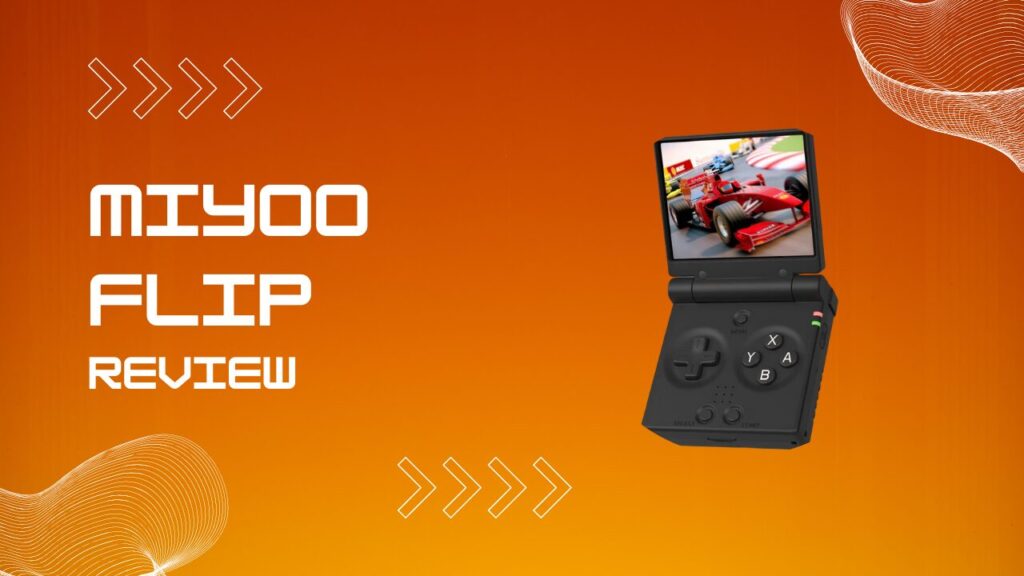
The Miyoo Flip review starts with one honest point: this is a very good clamshell retro handheld for the money, but it gets misunderstood whenever people expect miracle-level sixth-generation emulation from a compact Linux device. If your wish list starts with GBA, PS1, Dreamcast, N64, and a bit of PSP, the Flip makes a strong case for itself. If your wish list starts with PS2, Wii, or GameCube, this little clamshell is about to humble you.
Key Takeaways
- The Miyoo Flip runs a Rockchip RK3566 with 1GB of LPDDR4 RAM, which is a meaningful step up from older budget Miyoo hardware.
- Emulation is excellent for 2D systems and very good for PS1, N64, Dreamcast, and a lot of PSP.
- GameCube, Wii, and PS2 are still outside the Flip’s realistic comfort zone.
- SpruceOS is the most practical custom firmware choice right now, while Knulli is more demanding but powerful.
- PortMaster is one of the device’s biggest strengths, especially for native ports like Ship of Harkinian and OpenMW.
- The clamshell design is great for travel, but hinge confidence still matters when shopping for a unit.
- If you want a foldable handheld under $100, the Flip belongs on the shortlist.
What Is The Miyoo Flip?
The Miyoo Flip is a Linux-based clamshell retro handheld that takes obvious inspiration from the Game Boy Advance SP, then gives it modern retro emulation hardware and dual analog sticks. It is designed to be genuinely pocketable, easy to close between sessions, and much safer to throw in a bag than a slab-style handheld with an exposed screen.
The clamshell layout solves a boring but real problem: portable devices get scratched, squeezed, and battered when you actually carry them around. The Flip avoids that by letting the lid do the protective work for you. I like that because I am far more likely to bring a handheld with me when I do not have to baby it like a fragile museum piece.
The Clamshell Form Factor
The hinge is central to the entire experience because this device either feels satisfyingly compact or faintly suspicious depending on how much confidence the hinge inspires. When the lid opens and holds position properly, the Flip feels clever and travel-friendly. When it feels loose, the whole illusion cracks a bit.
The sleep-and-wake behavior is also more useful than it sounds on paper. Closing the lid turns the Flip into the sort of handheld you can use in ten-minute bursts without mentally committing to a whole gaming session. That matters more than marketing specs, especially if you actually use the thing on trains, sofas, or while pretending you only meant to play for five minutes.
Miyoo Flip Specs: Full Hardware Breakdown
The Miyoo Flip uses the Rockchip RK3566, a quad-core ARM Cortex-A55 chip paired with a Mali G52 GPU and 1GB of LPDDR4 RAM. That gives it enough headroom to feel clearly stronger than older low-end Linux handhelds, while still sitting in a budget performance class rather than premium emulation territory.
| Spec | Detail |
|---|---|
| CPU | Rockchip RK3566, quad-core ARM Cortex-A55 |
| GPU | Mali G52 |
| RAM | 1GB LPDDR4 |
| Screen | 3.5-inch IPS, 640×480, 4:3 |
| Battery | 3000mAh |
| Storage | 128MB internal plus dual microSD slots |
| Wireless | Wi-Fi |
| Ports | USB-C, 3.5mm headphone jack, Mini HDMI, dual microSD |
| Other Features | Dual analog sticks, wake sensor switch, vibration motor |
| OS | Linux |
The spec sheet looks clean until you actually start setting the device up, and that is where a bit of friction shows up. Two USB-C ports sound convenient, but one of them behaves like the grown-up port and the other is more situational, so the first time file transfer refuses to cooperate it is usually because the cable is in the wrong place. I have lost time to that kind of thing before, and it is exactly the sort of annoyance a raw spec table never tells you.
The dual microSD layout is useful, but it also creates room for user error. One slot can hold system files and the other can hold games, which is great once configured, but it also means boot failures and “where did my files go” moments become more likely when cards are swapped casually or formatted in a rush.
What Can The Miyoo Flip Play?
The Miyoo Flip’s sweet spot is broad enough to satisfy most retro players. It handles Game Boy, Game Boy Color, GBA, NES, SNES, Genesis, arcade platforms, PS1, and Nintendo DS without drama. That is the foundation of a very good retro handheld, and the Flip clears that bar comfortably.
Nintendo 64, Dreamcast, and PSP are where the device starts to feel more performance-dependent, but still quite usable. A lot of games on those systems play well, especially if you accept that “plays well” and “runs perfectly with no tweaking” are not always the same sentence. Here is the thing, the Flip rewards realistic expectations. If you enjoy tinkering a little, it feels capable. If you expect every harder 3D title to behave like a SNES ROM, you will get grumpy fast.
Emulation Performance Tiers
- Excellent: GB, GBC, GBA, NES, SNES, Genesis, PS1, NDS, arcade libraries.
- Good With Some Tuning: N64, Dreamcast, PSP.
- Mixed: Sega Saturn and tougher PSP games.
- Not A Realistic Buy Reason: GameCube, Wii, PS2, 3DS.
Can The Miyoo Flip Do GameCube Or Wii?
The short answer is no, not in the way most buyers mean it. You can always find edge-case experiments and novelty tests online, but those do not change the buying decision. The RK3566 is not a Dolphin-class chip in any practical sense.
The hidden friction here is expectation management. A lot of buyers see “dual sticks,” “RK3566,” and “Linux tinkering” and mentally upgrade the device into something it is not. In my experience, the moment you buy this thing for GameCube or Wii, you stop evaluating it fairly and start resenting it for failing a job it was never built to do.
Can The Miyoo Flip Do PS2?
The Miyoo Flip is not a PS2 handheld. That is the cleanest answer and the right one. The chipset does not have the headroom needed for the kind of stable, broad PS2 compatibility most people want.
That does not make the Flip weak. It just puts it in the correct class. It is a budget Linux handheld that shines on older systems and starts to sweat once the workload moves into truly demanding sixth-generation emulation.
Does The Miyoo Flip Run Android?
The Miyoo Flip is a Linux-first handheld in stock form and in the way most people will actually use it. That is still the cleanest route for day-to-day play, better battery behavior, and less setup fatigue.
There is now an experimental Android path through GammaOS Core, but I would treat that as a tinker-first side road rather than the reason to buy the device. Installing it is more involved, the experience is less plug-and-play than the Linux ecosystem, and this handheld still feels most at home when it is doing what it was clearly designed to do.
Miyoo Flip Build Quality And Screen
The 3.5-inch IPS display is one of the Flip’s strengths because it hits the right balance of size, sharpness, and old-school aspect ratio. At 640×480 in 4:3, pixel art looks crisp, PS1-era games scale nicely, and older systems do not feel awkwardly stretched to fit a modern widescreen panel.
The OCA-laminated look helps the screen feel cleaner and more immediate than cheaper displays with a more obvious layer gap. You notice it in bright rooms and in sprite-heavy games where contrast really matters. I am picky about screens on retro handhelds, and this one clears the “I actually want to keep playing on it” test.
The Hinge Problem: V1 Vs. V2
The hinge conversation never fully went away, and that is the piece you need to know before ordering. Later revisions improved confidence for a lot of buyers, but the Flip still carries more hinge baggage than a typical slab handheld. This is not one of those products where you can pretend the early complaints were just internet overreaction and move on.
The real friction is psychological as much as mechanical. Even when your unit is fine, the device’s reputation can make you open it a little more carefully than you otherwise would. I have found that once a handheld plants that seed of doubt, you start noticing every creak and every slight bit of movement, whether it actually matters or not.
Best Color Settings For The Miyoo Flip
The best picture usually comes from restraint rather than maxing everything out. Keeping brightness around the middle-to-upper range, using a more natural color profile, and turning on integer scaling for pixel-heavy systems gives the display a cleaner, less smeared look.
A lot of people overdo shaders on small handhelds. On a 3.5-inch screen, subtle wins. I usually prefer integer scaling with a very light scanline effect for 16-bit systems, then switch to something cleaner for PS1 or N64 where too much filtering can make motion look oddly mushy.
Custom Firmware: SpruceOS Vs. Knulli
Custom firmware is where the Miyoo Flip stops feeling like a promising budget handheld and starts feeling genuinely polished. Stock software is usable, which is more than I can say for a lot of retro handheld launches, but community software is what unlocks the device’s better self.
SpruceOS 4.0 For The Miyoo Flip
SpruceOS is the most practical custom firmware choice for most Miyoo Flip owners. It is stable enough to recommend without crossing my fingers, and it adds the sort of features people actually use, such as cleaner navigation, better file handling, update convenience, and a more coherent everyday experience.
The detail that matters is installation behavior. Extract the package to your computer first, then copy it to a freshly formatted FAT32 card. Do not get lazy and unpack it straight onto the card with whatever default extraction tool your operating system feels like using, because that is one of those tiny shortcuts that leads to a broken setup and a confusing hour of self-inflicted troubleshooting. I have seen enough firmware installs go sideways from one “that should be fine” assumption to know it is worth being fussy here.
SpruceOS also benefits from practical workflow touches. The bottom USB-C port is the one to trust for charging and data tasks, which matters when you are trying to use mass storage mode and the device acts like it has never met your cable before. That kind of small technical specificity is exactly why one setup feels smooth and another feels cursed.
Knulli On The Miyoo Flip
Knulli is the more enthusiast-friendly option, and when it is behaving it can feel great. The interface is more customizable, the overall vibe is more tinkerer-oriented, and it appeals to people who enjoy shaping their handheld instead of just using it.
The tradeoff is startup friction. Knulli on the Flip can feel moody during initial setup, especially if the card format is wrong, the file structure is messy, or you interrupt first boot because you assume the black screen means failure. In my experience, this is where impatient users create half their own bugs. The device sometimes looks stuck when it is really just taking its sweet time building folders and sorting itself out.
EmulationStation On The Miyoo Flip
EmulationStation is useful because it gives the Flip a more familiar library-driven frontend, and that matters if you are coming from a Raspberry Pi setup or another community firmware ecosystem. It makes the whole device feel more organized, especially once artwork and metadata are in place.
If EmulationStation stops launching, the problem usually is not dramatic. It is often a configuration hiccup, a bad file, or a setup mismatch. The annoying part is that the failure looks bigger than it usually is, which is why people jump straight to “my install is dead” when a simpler reset or reconfiguration would have done the job.
PortMaster: The Flip’s Hidden Weapon
PortMaster is one of the main reasons the Miyoo Flip feels more interesting than a simple ROM box. Native ports change the tone of the device because you are no longer just emulating older consoles, you are also running adapted PC and open-source game projects directly on the hardware.
That matters because native ports often feel better than forcing a borderline system through emulation. Lower overhead, cleaner controls, and more modern options can make the Flip feel smarter than its price suggests.
Ship Of Harkinian On The Miyoo Flip
Ship of Harkinian is one of the best showcases for what the Flip can do outside traditional emulation. Instead of leaning on N64 emulation for Ocarina of Time, you get a native port with quality-of-life features, modern options, and a generally smoother overall feel.
The part people skip over is setup discipline. Native ports are not magic. Folder placement, data files, and version compatibility still matter. I have found that once you accept PortMaster as a mini project manager rather than a one-click toy box, the whole experience becomes much less frustrating.
Morrowind On The Miyoo Flip
OpenMW gives the Flip access to Morrowind, and that is exactly the sort of ridiculous little victory retro handheld people love. Running around Vvardenfell on a folding pocket device still feels slightly absurd in the best way.
The friction is not raw performance so much as usability. Text size, controls, and menu-heavy RPG interactions ask more from a small screen than a quick arcade game does. I would absolutely use it for questing, inventory management, and slower sessions, but I would not pretend it replaces playing Morrowind on a larger screen when I want to get fully lost in it.
PokeMMO On The Miyoo Flip
PokeMMO works nicely on the Flip because it does not need huge horsepower and the device already suits long, low-stress RPG grinding sessions. The Wi-Fi support helps here, and the clamshell design makes it easier to suspend and resume without fuss.
I think this is one of those use cases that makes the Flip feel more personal than its spec sheet suggests. A handheld MMO on a compact clamshell has a weird charm to it, especially when the hardware gets out of the way and just lets you chip away at progress.
Miyoo Flip Vs. Anbernic RG35XXSP
The Miyoo Flip and the RG35XXSP occupy the same mental shelf for a lot of buyers. They are foldable, affordable, and aimed at people who want old-school gaming in a pocketable format without spending premium handheld money.
| Feature | Miyoo Flip | Anbernic RG35XXSP |
|---|---|---|
| Chipset | RK3566 | H700 |
| RAM | 1GB LPDDR4 | 1GB LPDDR4 |
| Screen | 3.5-inch IPS, 640×480 | 3.5-inch IPS, 640×480 |
| Battery | 3000mAh | Slightly larger battery |
| Video Out | Mini HDMI | No HDMI out |
| Strength | Better performance ceiling | Simpler value pick |
| Best For | Buyers who want more headroom and ports | Buyers who want cheaper clamshell fun |
The Miyoo Flip has the stronger performance profile, and that matters once you step into harder N64, Dreamcast, or PSP territory. The RG35XXSP keeps its appeal by being simpler and often a bit cheaper. If you want the more ambitious machine, the Flip wins. If you want the least expensive path into the clamshell format, the Anbernic stays relevant.
Pros And Cons
Pros
- Strong performance for a sub-$100 Linux clamshell.
- Excellent support for classic systems and a good chunk of 3D-era emulation.
- PortMaster adds real value, not just bullet-point fluff.
- Compact folding design is genuinely practical for travel.
- SpruceOS makes the device much easier to live with.
Cons
- Hinge confidence is still part of the buying conversation.
- GameCube, Wii, and PS2 are not realistic target systems.
- Setup quality depends heavily on SD card prep and firmware discipline.
- Knulli can feel messy if you rush the install.
- Small-screen native ports can be cool but not always comfortable.
Miyoo Flip Or Miyoo Mini Plus: Worth The Upgrade?
The Miyoo Mini Plus still has its place, especially for people who want a tiny, dead-simple handheld for 2D systems and PS1. It earned its reputation honestly. But the Flip is clearly the more capable device once you look at raw performance, controls, screen feel, and software flexibility.
For readers weighing that jump, the Miyoo Mini Plus review is still the best companion read because it shows exactly where the older Miyoo formula shines and where it runs out of runway. That context makes the Flip easier to judge fairly. You are not just buying a new shell, you are buying more headroom.
The Miyoo A30: The Flip’s Sibling Device
The Miyoo A30 sits in the same broader ecosystem, but it serves a different kind of player. It trades the clamshell format for a horizontal layout and feels more like a casual grab-and-go handheld than a fold-and-pocket one.
The useful overlap is software. The Miyoo A30 review helps frame how Miyoo’s ecosystem has evolved, especially if you care about SpruceOS and want to understand how these devices relate beyond just shape. If the Flip is the pocketable travel companion, the A30 is the laid-back sibling that wants to sprawl a little more.
Troubleshooting Common Miyoo Flip Issues
The Miyoo Flip is straightforward once it is settled, but the road to “settled” can be bumpier than people expect. Most of the common issues are not catastrophic. They are small technical mismatches that look dramatic because the device gives very little hand-holding when something goes wrong.
| Problem | What It Usually Means | Fastest Fix |
|---|---|---|
| Red or green light, no proper boot | Bad microSD formatting, weak card, or corrupted firmware files | Reformat to FAT32, use a better card, reflash firmware, try the correct slot |
| Stuck on boot logo | Card contents are incomplete or the update process did not finish cleanly | Recopy files carefully, use the reset button, avoid mixed old and new firmware files |
| EmulationStation not loading | Frontend config issue or broken setup files | Reboot, rebuild config, or move to a clean SpruceOS setup |
| Knulli boot loop | Card format or first-boot process went wrong | Wipe the card, format correctly, let first boot finish fully before copying games |
| Missing saves or save states on stock OS | Files are not where you expect them to be | Check the RetroArch saves folder and the ROM-core save state folders manually |
Miyoo Flip Won’t Boot: Red Green Light Fix
The most common cause is still the microSD card, either because the card itself is poor quality or because it was formatted carelessly. Cheap bundled cards are the usual suspect, and this is one of those cases where spending a little more on a decent card saves a lot of pointless suffering.
The reset button is also worth remembering. It is tiny, easy to ignore, and far more useful than most new owners realize. I always like when a device includes a clear hardware escape hatch, because software problems feel a lot less dramatic when there is still a physical “calm down and try again” option.
EmulationStation Not Working
EmulationStation failures usually look scarier than they are. Most of the time the frontend just needs a clean restart, a rebuilt config, or a more stable firmware base.
If you are already tired of fiddling, this is the point where SpruceOS starts to justify itself. Good firmware reduces the number of weird edge-case failures you have to mentally inventory, and that is worth a lot on a handheld that is supposed to be fun.
Knulli Boot Loop And Can’t Find Systems
This usually happens because the card structure is wrong or because the setup process got interrupted before Knulli finished creating what it needed. The mistake is often very human. You see a black screen, assume failure, hold power, and accidentally kneecap the install.
Patience matters here more than people want it to. My rule is simple: on a fresh Knulli install, I assume the device is slower than I want and I keep my hands off it until I am absolutely sure it is done.
Where To Buy The Miyoo Flip
The Miyoo Flip is much easier to find now than it was during the early rush. You can usually spot it through AliExpress sellers, Amazon marketplace listings, and retro handheld specialists that rotate stock in and out depending on demand.
The important part is not just finding one, it is finding one from a seller who clearly identifies the hardware revision and ships with sane storage options. A vague product listing with a mystery card bundle is the exact sort of bargain that becomes expensive in annoyance later.
Miyoo Flip Review: Final Verdict
The Miyoo Flip review conclusion is pretty simple: this is one of the most appealing foldable retro handhelds in its price class if you want a compact Linux device with real strengths, not just cute nostalgia bait. It plays the systems that matter to most retro fans well, supports useful custom firmware, and becomes much more interesting once PortMaster enters the picture.
Its weaknesses are also clear. The hinge reputation never fully disappeared, the setup process still rewards careful users more than casual ones, and the hardware ceiling is very real. Even so, I think the Flip gets the important things right. If you want a pocketable clamshell that excels at classic gaming and has enough headroom to stay interesting, the Miyoo Flip still makes a strong case in 2026.