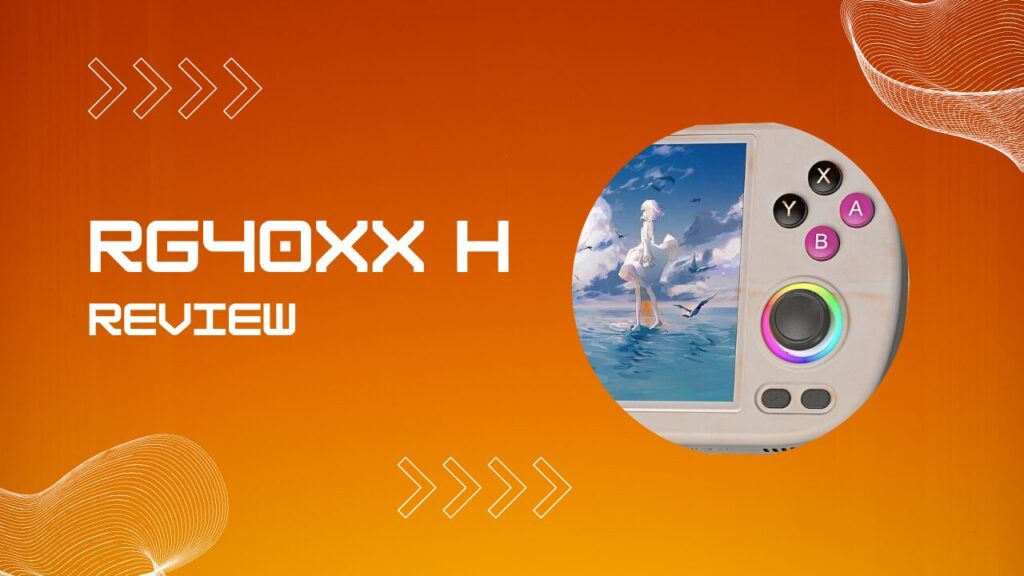
The RG40XX H review that you actually need in 2026 is not another spec sheet recap. It is a straight answer to whether this device, now two years into its life, is still a smart buy and how to get the most out of it from day one.
Anbernic launched the RG40XX H in July 2024 as the horizontal flagship of its H700-powered lineup, and the custom firmware community has had plenty of time to mature around it. Whether you are picking this up as your first emulation console or moving up from something older, this guide covers hardware, real-world performance, full setup, ROMs, KNULLI, ROCKNIX, MinUI, cheats, scraping, and PC connectivity. No filler.
Key Takeaways
- The RG40XX H runs the Allwinner H700 quad-core ARM Cortex-A53 at 1.5GHz with a Mali-G31 MP2 GPU and 1GB LPDDR4 RAM.
- Its 4.0-inch OCA-laminated IPS screen at native 640×480 (4:3) is one of the best displays in its price bracket.
- Dual MicroSD slots let you keep firmware clean on TF1 and store your entire ROM library on a larger TF2 card.
- Format your ROM card as FAT32, not exFAT, if you want the least amount of setup friction across stock OS and custom firmware.
- KNULLI is the recommended custom firmware for most users. ROCKNIX suits tinkerers. MinUI is for people who hate menus.
- PS1 and everything below it runs flawlessly. N64 and PSP 3D titles need realistic expectations.
- Hollow Knight runs natively via PortMaster on supported custom firmware, which still feels faintly ridiculous in the best way.
- Connect to your PC via USB-C in MTP mode. In many cases, the real problem is the cable, not the handheld.
- Cheats work through RetroArch’s built-in cheat database, but ROM naming and core selection can affect whether the correct file appears.
RG40XX H Pros And Cons
The RG40XX H gets a lot right for the money, especially if your library lives between NES and PS1 and you want a horizontal layout that does not feel cramped. It is one of those handhelds that becomes easier to recommend the longer you use it, because the strengths show up in the boring daily stuff like comfort, boot behavior, and screen quality.
Pros
- Comfortable horizontal shell with better hand feel than many budget handhelds.
- Excellent 4.0-inch 4:3 display for retro systems.
- Strong PS1 performance and very good results on older systems.
- Dual MicroSD setup keeps firmware and ROM storage tidy.
- Good custom firmware support, especially KNULLI, ROCKNIX, MinUI, and muOS.
- Mini-HDMI output, WiFi, and Bluetooth add useful flexibility.
- RGB analog sticks are more than a gimmick, they are genuinely nice for analog-heavy games.
Cons
- N64 and PSP performance is inconsistent on harder 3D games.
- 1GB RAM puts a hard ceiling on what the device can realistically do.
- Setup gets messy fast if you use low-quality SD cards or random USB-C cables.
- exFAT can create unnecessary headaches depending on firmware choice and workflow.
- Stock OS is usable, but it feels like something you tolerate rather than enjoy.
What Is the RG40XX H?
The Anbernic RG40XX H is a dedicated handheld emulation console built around the Allwinner H700 system-on-chip and shipped running a custom 64-bit Linux OS. It sits at a price point that usually lands in budget territory, which puts it in direct competition with devices like the TrimUI Smart Pro and the Miyoo Mini line. The H in the name denotes horizontal orientation, which separates it from the portrait-style V variant that shares the same core silicon.
I have handled a lot of budget handhelds over the years, and my honest first impression of the RG40XX H was that the build quality punches above its class. The shell does not feel cheap. The buttons do not wobble. Nothing rattles when you shake it. For a device in this bracket, that matters more than one extra bullet point on a store page.
Hardware Specifications At a Glance
The Allwinner H700 SoC pairs four ARM Cortex-A53 cores running at up to 1.5GHz with a Mali-G31 MP2 graphics processor and 1GB of LPDDR4 RAM. Those numbers mean very little in isolation, so here is the practical view of the hardware stack.
| Specification | Detail |
|---|---|
| SoC | Allwinner H700 |
| CPU | Quad-core ARM Cortex-A53 @ 1.5GHz |
| GPU | Mali-G31 MP2 |
| RAM | 1GB LPDDR4 |
| Display | 4.0-inch IPS, OCA full lamination, 640×480 |
| Battery | 3200mAh lithium polymer |
| Storage | Dual MicroSD, TF1 for OS, TF2 for ROMs |
| Wireless | WiFi and Bluetooth |
| Output | Mini-HDMI, USB-C charging and data |
| Weight | 205g |
| Dimensions | 163 x 79 x 16mm |
The 1GB LPDDR4 RAM is the most important ceiling to understand. It is sufficient for everything up to PS1 comfortably, and it handles N64 and PSP on a per-game basis rather than as blanket support.
Build Quality, Design, And Ergonomics
The RG40XX H shell is matte ABS plastic with contoured grips on the back and rounded corners on the front. At 205g it is light enough to hold comfortably for long sessions and balanced enough that your wrists are not constantly adjusting to compensate for poor weight distribution. The build passes what I think of as the shake test, which means no internal rattle, no obvious shell flex, and no loose-feeling shoulder buttons.
One small point that people rarely mention until after they buy it is that the finish feels more solid than it looks in product shots. In photos it can read as generic budget plastic. In the hand it feels more deliberate. I noticed that most once I switched back to a cheaper handheld for a few minutes, because the RG40XX H suddenly felt tighter and less hollow.
Buttons, D-Pad, And the RGB Analog Sticks
The control layout follows a familiar modern handheld arrangement with a d-pad, four face buttons, dual analog sticks, shoulder buttons, and the usual Start, Select, Menu, and Reset controls. The d-pad is clicky and precise, and that is a bigger deal than it sounds because sloppy diagonals can ruin entire genres. I tested it on fighting games and platformers, and it stayed predictable without needing that awkward adjustment period where you blame yourself before admitting the hardware is wrong.
The dual analog sticks are one of the genuine highlights here. They feature RGB lighting with multiple effects and they are more useful than I expected for systems that benefit from analog input. The hidden annoyance on some budget handhelds is stick drift or uneven centering after a few sessions, but this one has behaved well in practice. I also found the shorter throw easier to adapt to in PSP games than I expected, even if it still lacks the precision of a full-size controller.
Screen And Display Quality
The 4.0-inch IPS panel running at 640×480 in a 4:3 aspect ratio is a smart fit for retro gaming. Native 4:3 matches the shape of most classic consoles, so you avoid the usual choice between stretched images or thick side bars. The result is a screen that feels made for the content rather than adapted to it.
OCA full lamination also does more work here than most spec sheets make clear. The image looks closer to the surface, which helps pixel art stay crisp and gives menus a cleaner look. I noticed this most when comparing text-heavy RPG menus and Game Boy Advance interfaces, because cheap unlaminated screens tend to look slightly detached and fuzzy once you have seen the difference.
Brightness is good for indoor use and solid in bright rooms. It is not a direct sunlight miracle, but that is normal for this category.
Emulation Performance: What Can It Actually Run?
The Allwinner H700 is a known quantity now, which is helpful because buyers do not need to guess about the performance ceiling. The RG40XX H is excellent for older systems, very good for PS1, and selective once you get into heavier 3D libraries. If you buy it with the right expectations, it feels capable. If you buy it hoping for miracle PSP or N64 results, it will humble you quickly.
Systems That Run Flawlessly
The following platforms run at full speed with default settings and need very little intervention:
- Nintendo Entertainment System (NES) and Famicom
- Super Nintendo (SNES) and Super Famicom
- Game Boy, Game Boy Color, and Game Boy Advance
- Sega Master System, Mega Drive, Genesis, and Game Gear
- Neo Geo and CPS arcade hardware
- PlayStation 1 (PS1)
PS1 is the standout here. Full-speed performance across most of the library makes the RG40XX H feel much more expensive than it is. If your dream handheld library is built around PS1, this device lands squarely in the sweet spot.
Systems That Need Realistic Expectations
PSP emulation handles 2D-focused games and lighter 3D titles reasonably well, but harder games will expose the limits of the chip. N64 is even more variable, because some games feel perfectly playable while others turn into a chain of renderer quirks, audio hiccups, and frame dips the second the scene gets busy.
Dreamcast can be surprisingly decent in selected games, but it is not the reason to buy this device. GameCube and PS2 are outside the realistic scope of the hardware, and pretending otherwise just creates disappointment that the handheld does not deserve.
One question that comes up constantly is whether the RG40XX H can run Hollow Knight. Yes, it can, through PortMaster on supported custom firmware. That still lands with a small comic effect every time I type it, because putting Hollow Knight on a budget Linux handheld still feels like a minor act of theft against common sense.
Stock OS Vs. Custom Firmware Options
The stock Anbernic OS works out of the box and is fine for initial testing, but it is not where this device feels most complete. The interface is serviceable, game organization is basic, and the overall experience starts to feel cramped once you add a real library. Swapping to custom firmware is the single most meaningful upgrade you can make.
The part that trips people up is not usually the flashing process itself. It is what happens right after. On first boot, many users think the device is frozen because the screen sits longer than expected while partitions expand and the system builds its initial structure. I have watched people reflash a perfectly good card because they gave the first boot forty seconds and panic-won the rest of the evening. Give it time, use a decent branded card, and keep the original stock card untouched until your custom setup is stable.
KNULLI
KNULLI is the most polished fit for most users because it combines a clean frontend with strong feature depth. It supports WiFi scraping, Bluetooth controller pairing, RetroAchievements, PortMaster, and a generally tidy dual-card workflow. If you want the device to feel finished rather than merely functional, KNULLI is usually the right answer.
There is one practical friction point worth understanding before you install it. The TF1 card will use Linux-readable partitions, which means Windows may suddenly tell you the card looks broken or ask you to format it. Do not do that. The card is usually fine. Windows simply does not understand what it is looking at. In my experience, that single moment has probably caused more unnecessary reinstalls than any actual firmware bug.
ROCKNIX
ROCKNIX is a strong alternative for users who prefer deeper control and do not mind a little more tinkering. It tends to appeal to people who enjoy adjusting governors, testing emulator behavior, and squeezing extra headroom out of systems that sit near the limit of the H700 platform.
The nice thing about ROCKNIX is that it rewards attention. The dangerous thing about ROCKNIX is that it also rewards attention, which means it is easy to spend two hours tuning settings for a five percent gain and then forget to actually play anything.
MinUI
MinUI is the anti-bloat option. The interface is stripped down, text-driven, and intentionally boring in a way that becomes refreshing once you have spent too much time theme-hopping on other firmware.
That simplicity is real, but so is the setup sensitivity. If files are not placed exactly where they belong, MinUI does not always fail in a dramatic or helpful way. It just quietly does not do what you expected. I like MinUI a lot, but I also think it works best for people who already know how their folders and cores are supposed to behave.
muOS
muOS sits in a useful middle ground between simplicity and feature depth. It offers practical tools like SD migration support, configurable performance profiles, RGB controls, and MTP file transfer support, which makes it attractive for people who want flexibility without jumping fully into a more elaborate frontend.
This is also the firmware that tends to make people appreciate quality-of-life details they ignored earlier. Once direct file transfer works smoothly and the menu layout stops fighting you, it becomes a lot harder to tolerate clunkier software on similar hardware.
How To Set Up the RG40XX H Step By Step
First-time setup is straightforward if you do the steps in order and do not improvise halfway through because a random Reddit comment made something sound faster. The RG40XX H is forgiving in some areas, but storage setup is not one of them.
Step 1: First Boot on Stock OS. Power on the device and make sure the hardware works before you replace anything. Test buttons, analog sticks, sound, charging, and the screen. This gives you a known-good baseline before custom firmware enters the picture.
Step 2: Prepare Your Second SD Card. Insert a second MicroSD into TF2 while the device is on so the stock OS can generate the expected folder structure. Then power down, remove TF2, and connect it to your PC with a reliable card reader.
Step 3: SD Card Formatting (exFAT Vs. FAT32). Format your ROM card as FAT32 if your goal is the least complicated cross-firmware setup. exFAT sounds convenient, especially with larger file support, but it can introduce avoidable compatibility weirdness depending on your firmware and workflow. FAT32 is boring, and boring wins here.
Step 4: Add ROMs And BIOS Files. Copy ROMs into the correct system folders and place BIOS files in the expected BIOS directory. Disc-based systems are much easier to manage in CHD format because you reduce clutter without sacrificing performance.
Step 5: Install Custom Firmware. Flash your chosen firmware to a fresh TF1 card, boot the device, and let the first startup complete fully before you touch anything. Keep the original stock OS card as your fallback until you are sure your new setup is stable.
The real-world setup trap is cheap storage. A bundled no-name card can appear to work for a day, then start throwing silent corruption that looks like random emulator bugs, failed box art scraping, or games vanishing from menus. I have had setups that seemed cursed until I swapped out the card and suddenly everything behaved like a normal machine again. If a problem looks weirdly inconsistent, suspect the storage before you suspect your sanity.
Setup Problems Worth Solving Early
| Problem | Likely Cause | Practical Fix |
|---|---|---|
| Device hangs on first custom firmware boot | Partition expansion still running, or bad flash | Wait several minutes, then reflash with a verified image if needed |
| Windows asks to format the TF1 card | Linux partitions are unreadable to Windows | Cancel the prompt and leave the card alone |
| ROMs do not appear in the menu | Wrong folder structure or unsupported file placement | Recheck system folder names and refresh the game list |
| PS1 games boot to black screen | Missing or misplaced BIOS files | Put BIOS files in the correct BIOS directory |
| MTP transfer does not work | Charge-only USB-C cable or wrong USB mode | Switch to MTP in settings and use a full data cable |
| Scraping matches the wrong game | ROM naming is messy or duplicated | Clean filenames before scraping |
| Random crashes after setup | Poor-quality SD card | Replace the card with a reputable brand and rebuild the setup |
How To Connect the RG40XX H to Your PC
Connecting the RG40XX H to a Windows PC is simple once the USB mode is set correctly. On stock OS and some custom firmware builds, you switch the USB function to MTP, connect the device by USB-C, and it appears in File Explorer as a portable device.
The annoying part is that many USB-C cables are power-only, which means the handheld charges but never appears on your computer. That leads people to assume the port, firmware, or drivers are broken when the cable is the real culprit. In my experience, this is one of the most common false alarms in the whole setup process. If the device charges but never mounts, swap the cable before you change anything else.
On macOS, MTP can still be clumsier than it should be, so a card reader remains the least frustrating option for large transfers. Even on Windows, once you start moving bigger ROM sets, direct card access is usually faster and less temperamental than transferring through the handheld itself.
How To Enable Cheats on the RG40XX H
Cheats on the RG40XX H are usually handled through RetroArch’s built-in cheat database. The process is simple on paper: open the quick menu in-game, navigate to Cheats, load the matching cheat file, turn on the codes you want, and apply the changes.
Where people get tripped up is matching. If your ROM filename differs from the database naming convention, or if you are running a different core than the cheat file expects, the correct cheat list may not appear even though the feature itself works fine. I have seen this most with arcade sets and alternate-region dumps, where the game is technically the same but named just differently enough to derail automatic matching. When that happens, start by checking the core and the ROM name before you decide the firmware is broken.
If your database feels outdated, update the cheat files through RetroArch on a WiFi connection where supported. That tends to solve more problems than manual tinkering.
Scraping Box Art And Game Metadata
A properly scraped library makes the RG40XX H feel dramatically better to use because it turns a folder dump into an actual browsable collection. Box art, descriptions, and media previews are not essential, but once they are set up, going back to plain filenames feels primitive.
The friction point is ROM naming. Scrapers work best when your filenames are clean, standardized, and not bloated with extra tags, release notes, or mystery suffixes from old archive sets. If your library is messy, the scraper will still try, but you end up with duplicates, wrong box art, or games that inherit metadata from unrelated releases. I learned this the annoying way on a mixed PS1 folder where one bad naming batch created a small parade of wrong matches that took longer to clean up than it would have taken to normalize the filenames first.
On-device scraping is convenient for smaller libraries and quick refreshes. For larger collections, PC-based scraping is faster and easier to control, especially when you want to inspect match quality before committing thousands of media files to the card.
RG40XX H Vs. RG35XX H Vs. RG40XX V
Choosing within the Anbernic H700 family comes down mostly to form factor, screen size preference, and how you actually plan to use the device. Performance is broadly similar across the lineup because the core silicon is shared.
For a closer look at the smaller sibling, the RG35XX H review covers that device’s lighter build and more pocketable footprint, which is the right reference point if portability is your top priority. For users weighing screen size against layout preference, the RG40XX V review examines how the same H700 hardware performs in a vertical form factor and whether that shape is a better ergonomic fit for your library.
| Feature | RG35XX H | RG40XX H | RG40XX V |
|---|---|---|---|
| Screen Size | 3.5 inch | 4.0 inch | 4.0 inch |
| SoC | Allwinner H700 | Allwinner H700 | Allwinner H700 |
| Form Factor | Horizontal | Horizontal | Vertical |
| RGB Analog Sticks | No | Yes | No |
| Mini-HDMI | Yes | Yes | Yes |
| Weight | Lighter | 205g | Similar class |
| Best Use Case | Maximum portability | All-around use | Portrait layout preference |
The RG40XX H is the easiest all-round recommendation because it combines the larger screen with the more comfortable horizontal shell. The RG35XX H is better if pocketability matters most. The RG40XX V is for people who know they prefer a vertical grip and are not interested in pretending otherwise.
Battery Life, HDMI Output, And Other Features
Battery life is respectable for the class and depends heavily on what you are emulating. Lighter systems can stretch well, while brighter screens and heavier 3D workloads eat into play time faster. For most people, that works out to enough battery for a solid evening session without planning your life around a charger.
Mini-HDMI output is also more useful than it sounds on paper. It gives the handheld a second life as a lightweight living room retro box, especially if you pair it with a controller and keep a travel cable nearby. This is one of those features that feels optional until the first time you actually use it, after which it quietly becomes part of why the device feels versatile.
WiFi and Bluetooth round out the package in practical ways rather than flashy ones. They help with scraping, updates, achievements, and controller pairing, which all add up to a smoother daily experience.
RG40XX H Review Verdict: Worth It In 2026?
The Anbernic RG40XX H still holds up well because the hardware is honest about what it is. It excels at everything from NES through PS1, handles some later systems with caveats, and wraps that performance in a shell that is comfortable enough to use for hours. That combination matters more than chasing impossible headline features on a budget device.
The limits are real. The 1GB RAM and the modest GPU are not going to make demanding N64 or PSP games magically perfect, and anything above that tier is outside the sensible target. But for the audience that actually fits this handheld, which is anyone who wants a capable, comfortable retro machine with strong software options, the value remains easy to justify.
My advice is simple: swap to a good custom firmware early, use quality SD cards, keep your ROM structure clean, and treat this like a polished retro handheld rather than a miracle machine. Do that, and this RG40XX H review ends in the same place it began: it is still one of the smartest buys in its lane.