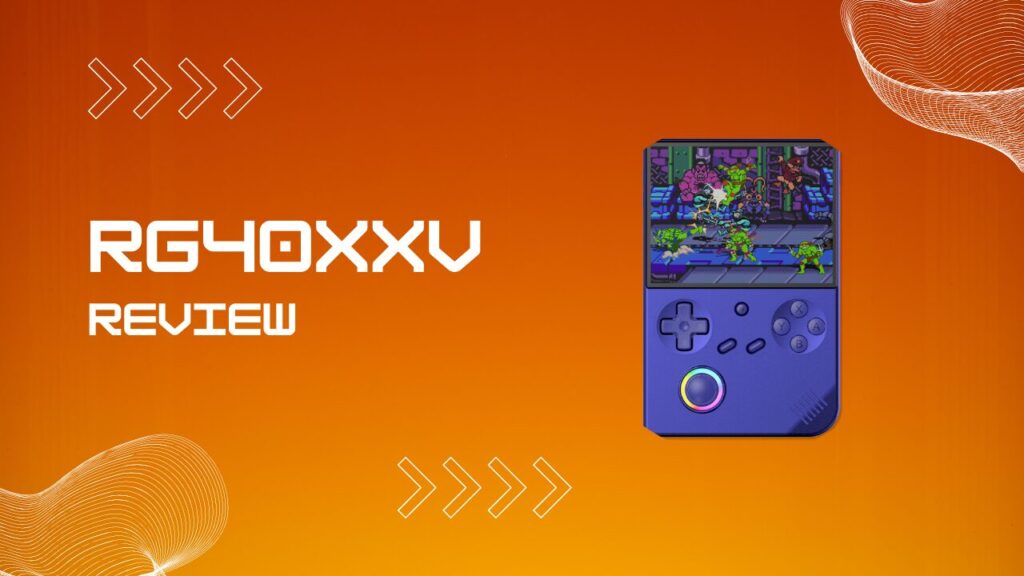
The RG40XXV review conversation has stuck around for a reason. This vertical handheld gives you a sharp 4-inch screen, reliable PS1 and 16-bit emulation, video playback, HDMI out, and enough firmware flexibility to keep tinkerers busy without pushing the price into silly territory.
Whether you are sizing it up as a travel gaming machine, wondering if it can handle Need for Speed Underground, or trying to figure out why your SNES games refuse to show up, this is the practical version of the answer.
Key Takeaways
- The RG40XXV is a budget vertical handheld that handles PS1, SNES, GBA, and other retro systems very well.
- The 4-inch laminated IPS display is one of the best reasons to buy it.
- SNES ROMs usually belong in the SFC folder, not a folder named SNES.
- Need for Speed Underground is playable on the device, but the game version and file structure matter.
- Movie playback works, and the screen is better than expected for casual media use.
- Custom firmware can improve the overall experience more than most buyers expect.
- Battery life is solid for a handheld in this class, but heavier systems drain it faster.
- The device is strongest when you treat it as a PS1-and-below machine with a few bonus systems above that line.
What Is The Anbernic RG40XXV?
The Anbernic RG40XXV is a dedicated retro emulation handheld built around a vertical design that feels closer to a classic Game Boy than a modern Android gaming slab. It sits in the affordable end of the market, but it still gives you WiFi, Bluetooth, HDMI output, dual microSD support, and a screen that looks more expensive than the rest of the shell.
Hardware Specifications At A Glance
The internals are straightforward, which is actually part of the appeal. You get an Allwinner H700 chip, 1GB of LPDDR4 RAM, a 4-inch 640×480 IPS display, a 3200mAh battery, and a Linux-based operating system that can be swapped out for better custom firmware if the stock setup feels too bare.
| Spec | Detail |
|---|---|
| Screen | 4.0-inch IPS, OCA laminated, 640×480 |
| CPU | Allwinner H700, quad-core Cortex-A53 |
| GPU | Mali-G31 MP2 |
| RAM | 1GB LPDDR4 |
| Storage | Dual microSD slots |
| OS | Linux-based stock firmware |
| Battery | 3200mAh |
| WiFi | Dual-band |
| Bluetooth | 4.2 |
| Charging | USB-C |
The part that catches new buyers out is that the hardware itself is only half the story. In my experience, the first hour with a budget retro handheld is rarely about gaming, it is about sorting card structure, checking folder names, and figuring out whether the included setup is merely usable or actively annoying. The RG40XXV is no exception, and it gets a lot better once you treat the stock software as a starting point rather than the finished experience.
Another bit of friction appears when people swap in a fresh microSD card and assume any format will do. The device is far less forgiving when a card is formatted incorrectly or when ROMs are dumped onto the wrong partition, so a clean FAT32 or exFAT setup, depending on the firmware you are using, saves a lot of false troubleshooting later. I have seen perfectly fine game files look broken simply because the folder map was right but the card structure was not.
Display And Build Quality
The display is the standout feature. A 4-inch IPS panel with OCA lamination gives the RG40XXV a cleaner, tighter image than many budget rivals, and 640×480 is a natural fit for older 4:3 systems that do not need awkward stretching or ugly interpolation.
The shell is light enough to stay portable but heavy enough to feel deliberate. That balance matters more on a vertical handheld than people expect, because once the weight tips too far upward your hands start compensating instead of relaxing. I noticed that during longer RPG sessions the rounded back and moderate weight help more than the raw dimensions suggest, especially compared with smaller vertical units that look charming but cramp your hands after forty minutes.
The analog stick is also more useful than it first appears. It is not a miracle component, and if you are expecting premium hall-effect precision you are shopping in the wrong aisle, but it makes a real difference for PS1, N64, and menu navigation. One small annoyance is that some users will want to adjust dead zones in custom firmware because the stock feel can come across as slightly loose, and once you notice it you keep noticing it.
Outdoor visibility is still budget-handheld territory. Indoors, the panel looks vibrant and crisp. In direct sunlight, it drops back to being good enough rather than impressive, which is about what I expect at this price.
RG40XXV Review: Emulation Performance
The heart of any RG40XXV review is emulation, because that is where this device either earns its keep or becomes another nice-looking gadget with a short honeymoon period. The good news is that the handheld is very comfortable in its core lane, and the less-good news is that its ceiling arrives exactly where you would expect from H700 hardware.
The Retro Sweet Spot
The sweet spot is everything from 8-bit systems through PlayStation 1. NES, SNES, Game Boy, Game Boy Color, Game Boy Advance, Mega Drive, Neo Geo, and PS1 are the systems where this device feels confident rather than merely capable, and that distinction matters because confident handhelds get used more.
PS1 is where the RG40XXV starts to feel genuinely satisfying. Racing games, platformers, JRPGs, and survival horror all sit nicely on the 4:3 screen, and most titles load and run without the kind of fiddling that turns a quick session into a chore. I found that games I only planned to test for a few minutes tended to become full sessions, which is usually the clearest sign that a handheld is doing its job properly.
There is one friction point worth calling out. Once people start piling on shaders, overlays, fast-forward settings, and rewind, they sometimes create their own performance complaints. The hardware can handle the systems well, but every extra visual layer adds overhead, and on a modest chipset that overhead shows up faster than people expect. Keeping the setup simple often gives better real-world playability than chasing a prettier screenshot.
Pushing The Ceiling
N64, Dreamcast, PSP, and some Nintendo DS titles sit closer to the edge. A few games work surprisingly well, a few are playable with tweaks, and a few remind you that budget Linux handhelds still obey physics no matter how optimistic the YouTube thumbnail was.
This is also where thermal behavior and battery drain become more noticeable. The RG40XXV does not get alarmingly hot, but longer sessions on heavier systems warm the shell enough that you can feel the device working harder, and performance can feel less stable when you stack demanding games with aggressive upscaling or heavy shaders. In my experience, the best way to enjoy these upper-tier systems is to test title by title and treat every win as a bonus rather than an entitlement.
Nintendo DS sits in an interesting middle ground. Plenty of games run well, but dual-screen layouts can become awkward on a single 4:3 display. The horsepower is only part of the story there, because interface compromise matters just as much as frame rate.
Can I Play Need For Speed Underground On The RG40XXV?
Yes, you can play Need for Speed Underground on the RG40XXV, but the exact version matters more than the question usually admits. If you are talking about the PlayStation release that circulates in retro handheld libraries, the device is in comfortable territory and should handle it well enough for an enjoyable session.
The main friction comes from file structure, not raw power. A lot of people drop in a loose BIN file, forget the matching CUE sheet, or use a badly named compressed archive and then assume the emulator is failing. In practice, the game usually loads more reliably when your PS1 files are cleanly paired, consistently named, and stored in the proper PS folder. I have had more trouble with messy disc-image libraries than with the handheld itself.
If you are trying different Need for Speed entries, results will vary by platform. PS1 is the safest route. DS can be fine. PSP is more of a case-by-case experiment, and it makes sense to approach it that way before you build a whole racing library around it.
The analog stick helps here more than expected. Arcade racers feel more natural when you have that little bit of analog input, even on a handheld that is still mostly designed around classic retro play.
What To Name The SNES Folder On The RG40XXV
The correct answer is usually SFC. That catches people because the instinct is to create a folder called SNES, but many Linux handheld front ends and firmware builds expect the Super Nintendo library to sit under the Super Famicom naming convention instead.
The real annoyance is that this problem looks identical to several other problems. When your games do not appear, it might be the wrong folder name, the wrong partition, unsupported file compression, bad ROM naming, or a card that was prepared incorrectly. That is why this issue wastes so much time. It looks simple, but it hides three or four failure points at once.
| System | Common Working Folder Name |
|---|---|
| Super Nintendo | SFC |
| NES | FC or NES |
| Game Boy | GB |
| Game Boy Color | GBC |
| Game Boy Advance | GBA |
| PlayStation | PS |
| Nintendo DS | NDS |
| Nintendo 64 | N64 |
| Mega Drive / Genesis | MD or GENESIS |
| Dreamcast | DREAMCAST |
SNES Library Troubleshooting Checklist
- Confirm the ROM folder is named SFC.
- Confirm the folder sits on the correct games partition for your firmware.
- Confirm your ROMs are in a supported format, such as
.smc,.sfc, or a compatible archive type. - Confirm the filenames do not contain odd symbols or partial extraction errors.
- Refresh the games list or reboot after copying files.
- Test one known-good ROM before assuming the whole library is broken.
- If you switched firmware, rebuild the folder map instead of assuming the old structure still applies.
The easiest path is to copy one game first and verify it appears. I still do that on fresh setups because it saves me from moving a full library only to discover a naming mistake buried at the folder level.
Can You Watch Movies On The RG40XXV?
Yes, and it is better at this than many people expect. The screen is small by modern media standards, but it is sharp enough for casual viewing, and the device can handle video playback well enough to make it more than a novelty.
The catch is aspect ratio. Most films and modern shows are wider than 4:3, so you will get black bars and a smaller active image than you might picture in your head. That sounds obvious, but it is one of those details people ignore until they actually load a movie and realize they have built themselves a tiny portable cinema with polite letterboxing.
File compatibility is usually not the issue. Video bitrate, file size, and software behavior are the bigger practical concerns. Lower-resolution MP4 files tend to feel the least fussy, and if you are planning to use the device regularly for video I would keep a small batch of pre-converted files instead of throwing random media formats at it and hoping the player behaves. I have done both, and the curated folder wins every time.
Audio is serviceable through the built-in speaker, but headphones make the feature much more usable. For a lunch break episode or a short travel clip, it works well. For a full movie marathon, I would still reach for a larger screen.
Best OS For The RG40XXV
The best OS for the RG40XXV depends on what annoys you most. If you hate clutter and just want games to launch fast, one option makes sense. If you want theme support, scraping, deeper settings, and more control, a different path is better.
muOS
muOS is the choice for people who want the device to feel more refined and more configurable. Menus are cleaner, performance tuning is easier, and the whole system tends to feel like it was built by people who actually use these handhelds every day instead of merely shipping them.
This is also where small technical improvements start compounding. WiFi setup, scraping behavior, per-core tweaks, and save-state management become less irritating when the firmware is not constantly getting in your way. I usually recommend muOS to anyone who already knows they are going to tinker, because pretending otherwise just delays the inevitable.
MinUI
MinUI is the opposite philosophy. It reduces friction by reducing features, which sounds dull until you live with it for a week and realize how nice it is when a handheld simply boots, lists games, and stays quiet.
The limitation is obvious. If you want flashy themes, broad system extras, and lots of menu-level customization, MinUI will feel too plain. If your dream setup is minimal overhead and maximum focus, it is excellent.
Knulli
Knulli leans into the console-style front-end experience. It is better suited to people who want cover art, a more visual library, broader presentation options, and a setup that feels closer to a polished retro console dashboard.
The extra polish comes with extra housekeeping. Scraping media, organizing systems, and keeping paths tidy takes more effort, and when something breaks it tends to break in a more layered way. Still, if you value presentation and library management, it can make the RG40XXV feel far more premium than the stock firmware ever does.
Battery Life And Connectivity
Battery life is solid, provided your expectations match the hardware. Lighter systems stretch the runtime nicely, while heavier emulation shortens it in a very predictable way, especially when WiFi is on and brightness is pushed higher than necessary.
Connectivity is one of the device’s sneaky strengths. WiFi, Bluetooth, and HDMI output make it more flexible than the plain vertical shell first suggests, and that matters because it lets the handheld behave like more than a single-use toy. Local streaming and TV-out both add value, even if they are not the headline features.
There is also a charger-related annoyance that appears in real use. Most USB-C cables work fine, but slow charging or inconsistent charging behavior is often a cable or adapter issue before it is ever a hardware fault. I now test new handhelds with a boring, known-good charger first because it removes one more variable from the early setup mess.
RGB Lighting And Multimedia Features
The RGB stick ring is pure personality. It does not make you better at games, and no sensible person should buy the device for that alone, but it gives the handheld a bit of identity in a market full of machines that can blur together after a while.
The multimedia extras are also more useful than they look on a spec list. Music playback, basic file browsing, and light media features help the device feel like a pocket gadget rather than a single-purpose emulator. None of that replaces a phone, obviously, but it does make the RG40XXV a more versatile thing to carry.
One practical detail is that flashy extras can nibble at battery life when left on without thought. If you want the best endurance, turning down brightness and trimming cosmetic features gets you farther than most performance settings ever will.
RG40XXV Vs. RG35XX: Same Chip, Different Feel
The RG40XXV and much of the RG35XX family overlap in raw capability, which is why the real decision usually comes down to shape, screen preference, and controls rather than performance. On paper they can look closer than buyers expect, but in the hands they are clearly different products.
The RG40XXV feels like the better pick if you want a larger 4:3 screen and a vertical layout with an analog stick. The RG35XX side makes more sense if you prefer a different ergonomic profile or want to compare how the same general hardware approach feels in another shell. The RG35XX review, which covers the horizontal sibling’s build quality, display, and emulation profile in detail, gives the most useful context if you are deciding between the two rather than buying blind.
I would not call one universally better. I would call the RG40XXV the better fit for someone who likes vertical handhelds and wants a bit more screen presence without jumping into a much more expensive tier.
Pros And Cons
The RG40XXV makes a strong case for itself because it gets the important things mostly right. The screen is sharp, PS1 and 16-bit emulation are genuinely enjoyable, the vertical form factor is comfortable for the right user, and custom firmware gives the device a longer life than the stock experience suggests.
The weaknesses are also clear. Upper-end systems are inconsistent, the setup process can be fiddly, folder structure mistakes can waste an absurd amount of time, and the stock software does not always show the hardware in its best light. In my experience, people who enjoy a little setup work end up liking this handheld far more than people who expect perfection the moment they open the box.
Who Should Buy The RG40XXV?
The best buyer for this device is someone who wants a retro-first handheld with a good 4:3 display and a sensible price. If your library lives in the PS1, SNES, GBA, and older-console era, the RG40XXV fits neatly into that use case and does not need much justification beyond that.
It also suits people who enjoy refining their setup over time. A lot of the fun comes from pairing the right firmware with the right library and getting the machine to behave exactly how you want. If that sounds annoying to you, this category may not be your ideal hobby in the first place.
Conclusion: Is The RG40XXV Worth It?
This RG40XXV review lands on yes, with a very specific kind of yes. It is worth it if you want a budget retro handheld that feels best with PS1 and older systems, gives you a lovely 4:3 display, and leaves enough room for customization that the device can improve noticeably after day one.
It is not a magic machine, and life gets messier once you push into harder systems or sloppy ROM management. Even so, the core experience is strong, the value is real, and once the firmware and folders are sorted the RG40XXV becomes the sort of handheld you keep within reach because it is easy to actually use.