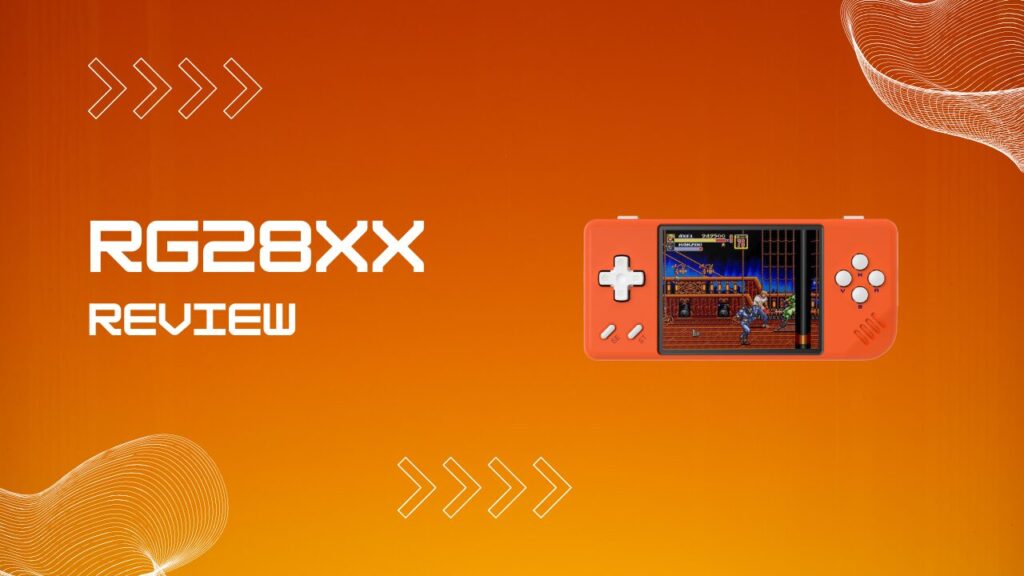
The Anbernic RG28XX is the kind of device that earns a second look the moment you hold one. This RG28XX review covers the hardware, the stock and custom firmware experience, how to use CHD files, what the libs folder actually does, how Syncthing works in practice, and whether the Black Transparent 64GB edition is worth buying in 2026. If you want the short version, it is one of the best truly pocketable retro handhelds in its price class. If you want the full picture, keep reading.
Key Takeaways
- The RG28XX runs an Allwinner H700 chip in a genuinely pocketable shell, and it is far more capable than its size suggests.
- SNES, GBA, PS1, and most PSP titles are a comfortable fit, while N64 and Dreamcast are more selective.
- Stock firmware is usable, but Knulli is what turns the device from decent to genuinely fun to tinker with.
- CHD files are the smartest way to store PS1 and Dreamcast games on a smaller card.
- The libs folder matters more than most new users expect, especially when PortMaster ports refuse to launch.
- Syncthing is excellent on the RG28XX once set up properly, but save conflicts can get messy if you are careless.
What Is the RG28XX?
The Anbernic RG28XX is a compact horizontal retro handheld built around the same H700 platform used in several other Anbernic devices. It sits in a very specific lane: smaller than the usual budget handheld, but still powerful enough to cover the systems most people actually care about, including PS1, SNES, GBA, and a surprisingly decent chunk of the PSP library.
The point of this device is not raw power. The point is convenience. It is small enough to live in a pocket, light enough to forget about, and still capable enough that you do not feel like you are carrying a compromised toy. That balance is what makes it interesting.
RG28XX Specs at a Glance
| Spec | Detail |
|---|---|
| CPU | Allwinner H700, 4x ARM Cortex-A53 at 1.5GHz |
| GPU | Mali-G31 MP2 |
| RAM | 1GB LPDDR4 |
| Display | 2.83-inch IPS, 640×480, OCA laminated |
| Storage | Dual MicroSD slots |
| Battery | 3,100mAh |
| OS | Linux |
| Connectivity | USB-C, micro HDMI, 3.5mm jack |
| Built-In Wi-Fi | No |
| Weight | About 125g |
| Colors | Gray, Beige White, Black Transparent, Lava Orange |
Pros and Cons
Pros
- Truly pocketable size without feeling flimsy.
- Excellent SNES, GBA, and PS1 performance.
- PSP is better than you would expect on a device this small.
- Knulli support adds real long-term value.
- Dual MicroSD layout keeps system files and game storage tidy.
- Screen quality is sharp and punchy for the price.
Cons
- No built-in Wi-Fi, which limits convenience on stock firmware.
- The 2.83-inch screen is impressive, but still tiny for text-heavy games.
- No analog sticks, which narrows the practical N64 and PSP library.
- Shoulder buttons are usable, though not ideal for long sessions.
- PortMaster setup can get fiddly if your folders are not exactly right.
Build Quality and Ergonomics
The RG28XX feels better built than many low-cost handhelds that aim for the same buyer. The shell is compact and tidy, the seams are clean, and the buttons do not rattle around like spare parts in a drawer. The d-pad is especially good, which matters more than spec sheets ever admit. If the d-pad is bad, the whole handheld is bad, and this one clears that bar comfortably.
The main ergonomic compromise is the size itself. Short sessions are great. Long sessions need a little honesty. After about forty minutes of PSP or action-heavy PS1 play, I notice my grip tightening because the chassis gives my fingers very little to hold onto. The shoulder buttons also sit close enough to the top edge that repeated L and R use feels more pinched than natural. None of this is a dealbreaker, but it is the exact sort of friction you only notice after the novelty phase wears off.
The thermals are mostly well controlled, but heavier systems can warm the upper shell more than classic 16-bit emulators do. I do not think it gets hot in any alarming way, though I have definitely felt the top-right area grow noticeably warm during longer PSP sessions. That is normal for a device this small, and it is one more reminder that the RG28XX is a pocket machine first, not a marathon grip monster.
Display Quality
The 2.83-inch IPS display is one of the RG28XX’s best features. The panel looks crisp, color reproduction is lively without going cartoonish, and the OCA lamination helps the image feel closer to the glass. That sounds like a tiny detail until you compare it to cheaper screens with a visible air gap, then suddenly it is the difference between “nice” and “why does this look washed out?”
The 640×480 resolution is also a practical fit for the systems this device targets. SNES, PS1, and other 4:3 content look clean and natural, which is exactly what you want on a small handheld. The catch is that not every system maps perfectly. GBA is a 3:2 handheld, so you are choosing between small black bars or a little scaling softness. In my experience, that trade-off is still worth it because the screen is sharp enough that GBA remains very playable, but it is worth knowing before you assume every platform looks equally perfect.
Text readability is the other quiet limitation. Menus and RPG dialogue are fine. Dense interfaces are less forgiving. On something like a strategy RPG or a fan-translated title with small fonts, you will notice that the compact screen asks more from your eyes than a 3.5-inch or 4-inch alternative would.
RG28XX Performance: What Can It Emulate?
SNES, GBA, and Classic Consoles
The RG28XX handles 8-bit and 16-bit systems without breaking a sweat. SNES, GBA, Mega Drive, PC Engine, Game Boy, Game Boy Color, and arcade libraries all feel right at home here. This is the part of the review where the device stops being “surprisingly capable” and simply becomes competent in an expected, dependable way.
SNES is particularly strong. That matters because “rg28xx snes” is one of the most sensible use cases for the device. If your library leans heavily on Super Metroid, Chrono Trigger, Final Fantasy VI, Super Mario World, or Yoshi’s Island, the handheld barely notices the workload. Save states are quick, menus feel snappy, and there is enough overhead that the experience feels clean rather than merely functional.
I also think this screen size works unusually well for quick-hit 16-bit play. Five minutes with Contra III or ten minutes with a GBA platformer makes immediate sense on the RG28XX. It is the sort of device that invites you to play now rather than schedule time for later.
PSP, N64, and Dreamcast
PSP is where the RG28XX becomes more interesting than it first appears. It is not a perfect PSP machine, and the lack of analog sticks obviously shapes what makes sense to play, but many titles run better than you would expect from a device in this size and price bracket. 2D games, lighter 3D games, and a lot of action RPGs are perfectly reasonable here.
The hidden friction comes from expectations, not raw failure. A lot of people hear “PSP support” and imagine every game at ideal settings. That is not how this class of hardware works. More demanding games benefit from dropping render resolution to 1x, using the right backend, and being selective about what you actually want to finish on a tiny display. I have found that PSP works best when you treat it as a bonus layer of capability, not the entire reason to buy the handheld.
N64 and Dreamcast are similar. Some games are solid, some need tweaking, and some are better left to larger or more powerful systems. If your goal is mostly SNES, PS1, GBA, and a carefully chosen slice of PSP, the RG28XX makes a lot of sense. If your dream library is Dreamcast-first, this is the wrong device.
Stock Firmware vs. Knulli CFW
Stock Firmware
The stock firmware is straightforward and usable. It boots into a simple launcher, reads games from the second card without much fuss, and lets less technical users get moving quickly. If you just want to load a card and play, stock software does the basic job.
The problem is that stock firmware feels finished only until you want to do one slightly advanced thing. There is no built-in Wi-Fi, so every meaningful file transfer becomes a physical SD card job. That gets old quickly. The interface is also functional rather than flexible, and once you have seen what a mature custom firmware can do on the same hardware, it is difficult to go back.
Knulli CFW: The Real Unlock
Knulli is the reason the RG28XX has staying power. If you searched for knuli rg28xx or knulli rg28xx, you are really looking at the same core conversation: people want a cleaner frontend, better system management, and features that make the handheld fit into a broader retro setup. Knulli delivers that.
The frontend is more polished, the menu structure makes more sense, and the device starts feeling like part of an ecosystem rather than an isolated gadget. PortMaster support matters, theme support matters, and network tools matter even more than they sound like they should. Once I had Knulli dialed in, I stopped treating the RG28XX like a toy to test and started treating it like a device I actually wanted to keep configured.
Installing Knulli on the RG28XX
Installing Knulli is not difficult, but this is where new users often trip over avoidable friction. Flash the correct RG28XX image to your system card, boot the handheld, and be patient during first boot. That last part matters. The first startup can sit on the logo far longer than people expect, which leads to unnecessary panic power-offs that create problems where none existed before.
The ROM card deserves equal attention. If you want the smoothest path for ports and filesystem compatibility, format the games card properly before you start moving files. This is also where people get confused on Windows, because an ext4 card will not behave like a normal plug-and-play drive in File Explorer. I have seen users assume the flash failed when the card was actually fine, they just could not browse it the way they expected.
Common Knulli Setup Problems
| Symptom | Likely Cause | Practical Fix |
|---|---|---|
| Device hangs on first boot logo | First boot expansion is still running, or the card was flashed incorrectly | Wait several minutes first. If it still fails, reflash the image and try a different quality card |
| ROM card looks unreadable on PC | The card is formatted in ext4 | Use a compatible reader workflow, network transfer, or a second card format that matches your setup needs |
| Wi-Fi options seem missing | No supported USB wireless dongle is attached | Use a compatible 2.4GHz USB dongle with the correct USB-C adapter |
| PortMaster game launches to black screen | Missing data files or broken libs folder | Reinstall the port, confirm the required game files are in the exact folder the port expects |
| Syncthing appears active but nothing syncs | Wrong folder path or folder type mismatch | Check send and receive permissions, then verify both devices point to the same save or ROM path |
The RG28XX Libs Folder and PortMaster Ports
The rg28xx libs folder matters because PortMaster ports depend on shared runtime files that are easy to overlook and painfully obvious when missing. Most people do not touch this folder until something breaks. Then suddenly it becomes the whole story. If a port boots to a black screen and closes, the libraries and folder structure are one of the first places to inspect.
This gets even more relevant with Stardew Valley, which is where searches like rg28xx libs folder starew usually come from. The usual problem is not that the handheld cannot run the port. The usual problem is that the game data was copied to the wrong folder, the folder name is slightly off, or a required file was dropped into the right place with the wrong case or incomplete extraction. One missing file is enough to make the whole thing look dead.
My rule here is simple: never “tidy up” a PortMaster install by deleting folders you do not recognize. That instinct makes sense on a normal PC. On a retro handheld, it is how you accidentally break a working setup. If a port misbehaves, reinstall it cleanly and rebuild the expected structure instead of trying to manually guess which files are optional.
CHD Files on the RG28XX
CHD is the smart format for disc-based games on this device. If you are building an rg28xx chd library, you are already on the right track. PS1 and Dreamcast games eat storage quickly, and smaller handhelds benefit more than most from efficient file management because people tend to use smaller cards or carry multiple curated sets.
The best part is that CHD is not a compromise format in normal use. You get smaller files, cleaner libraries, and less folder clutter without sacrificing day-to-day convenience. Multi-file BIN and CUE sets look messy on a compact device, especially when you are browsing a large collection. CHD keeps the library cleaner, and that alone is worth the effort.
The only thing to watch is bad source dumps. If the original image is messy, CHD conversion does not magically repair it. I usually test a converted game once before dumping dozens of files onto a card, because fixing one broken title early is far less annoying than discovering a batch problem after an hour of transfers.
Syncthing on the RG28XX
Syncthing is one of the most useful upgrades you can add to the RG28XX once Knulli is in place and network access is working. The obvious benefit is wireless file transfer, but the real value is continuity. Saves, states, screenshots, and curated ROM folders can all move across devices without the usual card-swapping ritual.
The friction appears the moment you use it casually instead of deliberately. If you play the same game on two devices and both create newer save data before they fully sync, Syncthing can generate conflicts that are technically recoverable but irritating in practice. I have learned to treat one handheld or one PC folder as the master location for active play sessions. That sounds fussy, but it saves a lot of cleanup later.
For most users, the best setup is syncing save folders first and ROM folders second. Saves are small and high value. ROM libraries are larger and more likely to expose path or naming inconsistencies across devices. Once the save workflow is stable, then it makes sense to expand outward.
The Black Transparent 64GB Edition
The new Anbernic RG28XX Black Transparent 64G model is the version I would point most buyers toward if pricing is close. The shell looks better than the standard colors, and the semi-clear plastic gives it a little of that old-school hardware charm without crossing into gimmick territory. It looks like a toy in the good way, not the cheap way.
The included 64GB card also lowers the setup barrier for casual buyers. That matters because the first hour with a handheld often determines whether it becomes a hobby device or ends up in a drawer. The faster someone can boot it, browse it, and start playing, the better chance the device has of sticking.
That said, bundled cards are rarely the part of the package I trust the most long term. If you plan to keep the RG28XX as a regular carry device, I would still move to a higher-quality branded card once you have your setup settled.
Battery Life and Portability
Battery life is solid for the class. Lighter systems can stretch comfortably across several short sessions, while heavier PSP or Dreamcast play will drain it faster. That is exactly what you would expect, and the good news is that the handheld charges simply over USB-C without any weird power quirks.
Portability is still the headline feature. This is one of the few retro handhelds that feels honestly pocketable in daily life instead of theoretically portable on a spec sheet. I would much rather carry this than a larger handheld when leaving the house, and that practicality counts for more than a small bump in benchmark performance.
RG28XX vs. the Competition
The RG28XX makes the most sense when you understand what it is competing against. It is not trying to beat larger handhelds on comfort. It is trying to beat them on convenience while staying capable enough that you do not feel under-equipped.
For buyers who want the same general emulation ceiling with a bit more hand comfort, the RG35XX covers the same emulation range in a slightly larger horizontal chassis. That page is the better reference point if you like the H700 family but want a less cramped long-session grip.
For users who prefer a different shape altogether, the RG40XXV offers a completely different vertical ergonomic proposition. Vertical devices change how menu navigation and long RPG sessions feel, so this is less about raw performance and more about which shape your hands actually prefer.
If your main complaint about the RG28XX is the small screen, the RG40XX H brings a bigger landscape screen to the same Anbernic mid-range family. That is the better choice if you want similar software flexibility with less squinting.
If you have already outgrown this whole class of device, the RG556 is the premium Android-powered option in the Anbernic stable. It lives in a different budget tier, but it is the logical jump if you want more than careful PSP and light Dreamcast play.
Against the Miyoo Mini Plus, the RG28XX wins on raw ceiling and output flexibility, while the Miyoo wins on built-in wireless convenience. That trade-off is easy to understand. If you want pocket PS1 and SNES with occasional PSP, the RG28XX is stronger. If you want a simpler pick-up-and-play device with fewer setup hoops, the Miyoo still makes a strong case.
Frequently Asked Questions
Does the RG28XX Have Wi-Fi?
No, not built in. You need a compatible USB wireless dongle if you want network features under Knulli.
Can the RG28XX Run PSP Games?
Yes, and it runs more of them well than its size suggests. The best results come from realistic expectations and the occasional setting tweak.
What SNES Games Run on the RG28XX?
Essentially the whole SNES library is fair game here. This is one of the safest use cases for the handheld.
What Is the Libs Folder on the RG28XX?
It is the folder that stores shared runtime files used by PortMaster ports. If that folder is missing or incomplete, ports often fail to launch.
How Do I Use CHD Files on the RG28XX?
Convert supported disc images to CHD, place them in the correct system folder, and let your frontend detect them normally. It is mostly a storage and organization win.
How Do I Set Up Syncthing on the RG28XX?
Install Knulli, add supported network hardware, enable Syncthing, and point it at the right folders. Start with saves before syncing an entire ROM library.
Where Are Save Files Stored on Stock Firmware?
Stock firmware separates save locations by emulator type, which is one reason migration to custom firmware can feel cleaner once you start managing multiple systems.
Conclusion
This RG28XX review lands in a pretty simple place: the device succeeds because it understands its job. It is not trying to be everything. It is trying to be small, capable, affordable, and fun to keep nearby, and it does that extremely well.
The screen is sharp, the H700 is more than enough for the systems that matter most on a device this size, and Knulli gives the handheld a second life that stock firmware cannot match. The little annoyances are real, especially the lack of built-in Wi-Fi, the tiny grip, and the care needed for ports and sync tools, but they are manageable once you know where the friction lives.
If your priorities are portability, SNES and PS1 comfort, selective PSP play, and the option to tinker with Knulli, Syncthing, CHD libraries, and PortMaster, the RG28XX remains one of the easiest handhelds to recommend in 2026.